License
Apache-2.0 — permissive for most products
License · Libraries.io🎨 Local-first, open-source Claude Design alternative. ⚡ 19 Skills · ✨ 71 brand-grade Design Systems 🖼 Generate web · desktop · mobile prototypes · slides · images · videos · HyperFrames 📦 Sandboxed preview · HTML/PDF/PPTX/MP4 export 🤖 Runs on Claude Code / Codex / Cursor / Gemini / OpenCode / Qwen / Copilot / Hermes / Kimi CLI.
Summary verifiedOne-line summary from the repository description on GitHub
Open Design is the open-source, local-first alternative to Claude Design. Web-deployable, BYOK at every layer — 16 coding-agent CLIs auto-detected on your
PATH(Claude Code, Codex, Devin for Terminal, Cursor Agent, Gemini CLI, OpenCode, Qwen, Qoder CLI, GitHub Copilot CLI, Hermes, Kimi, Pi, Kiro, Kilo, Mistral Vibe, DeepSeek TUI) become the design engine, driven by 31 composable Skills and 72 brand-grade Design Systems. No CLI? An OpenAI-compatible BYOK proxy is the same loop minus the spawn.
[!IMPORTANT]
🔥
0.8.0-previewis here. Design's old world ends here.The open-source alternative to Claude Design / Figma — 40k stars in two weeks got us this far. We need you to push the rest of the way.
Iterating fast on
main— 0.8.0 is the next phase of Open Design. Ship a PR, drop a wild idea, file a bug — what you bring is what this movement becomes.→ Read the announcement, grab the installer, join the movement · runs side-by-side with your current 0.7.
Apache-2.0 — permissive for most products
License · Libraries.ioNo known critical CVE in default branch scan
Full report on OSS Insight1171 commits / 30d · last push today
Bus factor: healthy (active maintenance)











English · Español · Português (Brasil) · Deutsch · Français · 简体中文 · 繁體中文 · 한국어 · 日本語 · العربية · Русский · Українська · Türkçe
Anthropic's Claude Design (released 2026-04-17, Opus 4.7) showed what happens when an LLM stops writing prose and starts shipping design artifacts. It went viral — and stayed closed-source, paid-only, cloud-only, locked to Anthropic's model and Anthropic's skills. There is no checkout, no self-host, no Vercel deploy, no swap-in-your-own-agent.
Open Design (OD) is the open-source alternative. Same loop, same artifact-first mental model, none of the lock-in. We don't ship an agent — the strongest coding agents already live on your laptop. We wire them into a skill-driven design workflow that runs locally with pnpm tools-dev, can deploy the web layer to Vercel, and stays BYOK at every layer.
Type make me a magazine-style pitch deck for our seed round. The interactive question form pops up before the model improvises a single pixel. The agent picks one of five curated visual directions. A live TodoWrite plan streams into the UI. The daemon builds a real on-disk project folder with a seed template, layout library, and self-check checklist. The agent reads them — pre-flight enforced — runs a five-dimensional critique against its own output, and emits a single <artifact> that renders in a sandboxed iframe seconds later.
That's not "AI tries to design something". That's an AI that has been trained, by the prompt stack, to behave like a senior designer with a working filesystem, a deterministic palette library, and a checklist culture — exactly the bar Claude Design set, but open and yours.
OD stands on four open-source shoulders:
alchaincyf/huashu-design — the design-philosophy compass. Junior-Designer workflow, the 5-step brand-asset protocol, the anti-AI-slop checklist, the 5-dimensional self-critique, and the "5 schools × 20 design philosophies" idea behind our direction picker — all distilled into apps/daemon/src/prompts/discovery.ts.op7418/guizang-ppt-skill — the deck mode. Bundled verbatim under skills/guizang-ppt/ with original LICENSE preserved; magazine-style layouts, WebGL hero, P0/P1/P2 checklists.OpenCoworkAI/open-codesign — the UX north star and our closest peer. The first open-source Claude-Design alternative. We borrow its streaming-artifact loop, its sandboxed-iframe preview pattern (vendored React 18 + Babel), its live agent panel (todos + tool calls + interruptible generation), and its five-format export list (HTML / PDF / PPTX / ZIP / Markdown). We deliberately diverge on form factor — they are a desktop Electron app bundling pi-ai; we are a web app + local daemon that delegates to your existing CLI.multica-ai/multica — the daemon-and-runtime architecture. PATH-scan agent detection, the local daemon as the only privileged process, the agent-as-teammate worldview.| What you get | |
|---|---|
| Coding-agent CLIs (16) | Claude Code · Codex CLI · Devin for Terminal · Cursor Agent · Gemini CLI · OpenCode · Qwen Code · Qoder CLI · GitHub Copilot CLI · Hermes (ACP) · Kimi CLI (ACP) · Pi (RPC) · Kiro CLI (ACP) · Kilo (ACP) · Mistral Vibe CLI (ACP) · DeepSeek TUI — auto-detected on PATH, swap with one click |
| BYOK fallback | Protocol-specific API proxy at /api/proxy/{anthropic,openai,azure,google,ollama,senseaudio}/stream — paste baseUrl + apiKey + model, choose Anthropic / OpenAI / Azure OpenAI / Google Gemini / Ollama Cloud / SenseAudio, and the daemon normalizes SSE back to the same chat stream. SenseAudio chat additionally exposes generate_image and generate_video tools so the model can write rendered artifacts straight into the active project's folder. Internal-IP/SSRF blocked at the daemon edge. |
| Design systems built-in | 129 — 2 hand-authored starters + 70 product systems (Linear, Stripe, Vercel, Airbnb, Tesla, Notion, Anthropic, Apple, Cursor, Supabase, Figma, Xiaohongshu, …) from awesome-design-md, plus 57 design skills from awesome-design-skills added directly under design-systems/ |
| Skills built-in | 31 — 27 in prototype mode (web-prototype, saas-landing, dashboard, mobile-app, gamified-app, social-carousel, magazine-poster, dating-web, sprite-animation, motion-frames, critique, tweaks, wireframe-sketch, pm-spec, eng-runbook, finance-report, hr-onboarding, invoice, kanban-board, team-okrs, …) + 4 in deck mode (guizang-ppt · simple-deck · replit-deck · weekly-update). Grouped in the picker by scenario: design / marketing / operation / engineering / product / finance / hr / sale / personal. |
| Media generation | Image · video · audio surfaces ship alongside the design loop. gpt-image-2 (Azure / OpenAI) for posters, avatars, infographics, illustrated maps · Seedance 2.0 (ByteDance) for cinematic 15s text-to-video and image-to-video · HyperFrames (heygen-com/hyperframes) for HTML→MP4 motion graphics (product reveals, kinetic typography, data charts, social overlays, logo outros). 93 ready-to-replicate prompts gallery — 43 gpt-image-2 + 39 Seedance + 11 HyperFrames — under prompt-templates/, with preview thumbnails and source attribution. Same chat surface as code; outputs a real .mp4 / .png chip into the project workspace. |
| Visual directions | 5 curated schools (Editorial Monocle · Modern Minimal · Warm Soft · Tech Utility · Brutalist Experimental) — each ships a deterministic OKLch palette + font stack (apps/daemon/src/prompts/directions.ts) |
| Device frames | iPhone 15 Pro · Pixel · iPad Pro · MacBook · Browser Chrome — pixel-accurate, shared across skills under assets/frames/ |
| Agent runtime | Local daemon spawns the CLI in your project folder — agent gets real Read, Write, Bash, WebFetch against a real on-disk environment, with Windows ENAMETOOLONG fallbacks (stdin / prompt-file) on every adapter |
| Imports | Drop a Claude Design export ZIP onto the welcome dialog — POST /api/import/claude-design parses it into a real project so your agent can keep editing where Anthropic left off |
| Persistence | SQLite at .od/app.sqlite: projects · conversations · messages · tabs · saved templates. Reopen tomorrow, todo card and open files are exactly where you left them. |
| Lifecycle | One entry point: pnpm tools-dev (start / stop / run / status / logs / inspect / check) — boots daemon + web (+ desktop) under typed sidecar stamps |
| Desktop | Optional Electron shell with sandboxed renderer + sidecar IPC (STATUS / EVAL / SCREENSHOT / CONSOLE / CLICK / SHUTDOWN) — drives tools-dev inspect desktop screenshot for E2E |
| Deployable to | Local (pnpm tools-dev) · Vercel web layer · packaged Electron desktop app for macOS (Apple Silicon, plus Intel x64 ZIP builds verified on Monterey) and Windows (x64) — download from open-design.ai or the latest release |
| License | Apache-2.0 |
Linux AppImage packaging is available through the optional release lane and is covered by the Linux packaged smoke workflow, but public stable downloads remain gated until the release maintainers enable the Linux stable lane.
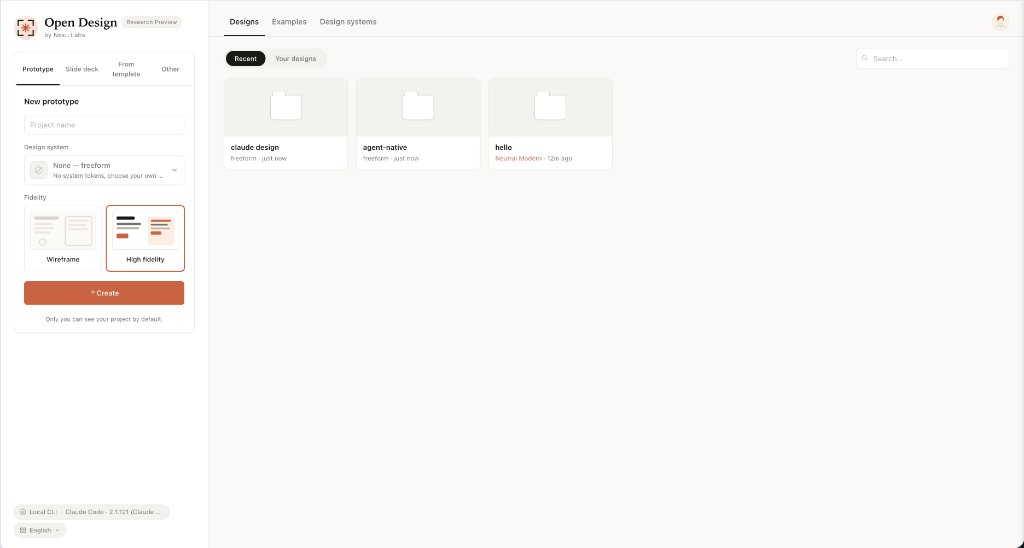 Entry view — pick a skill, pick a design system, type the brief. The same surface for prototypes, decks, mobile apps, dashboards, and editorial pages. |
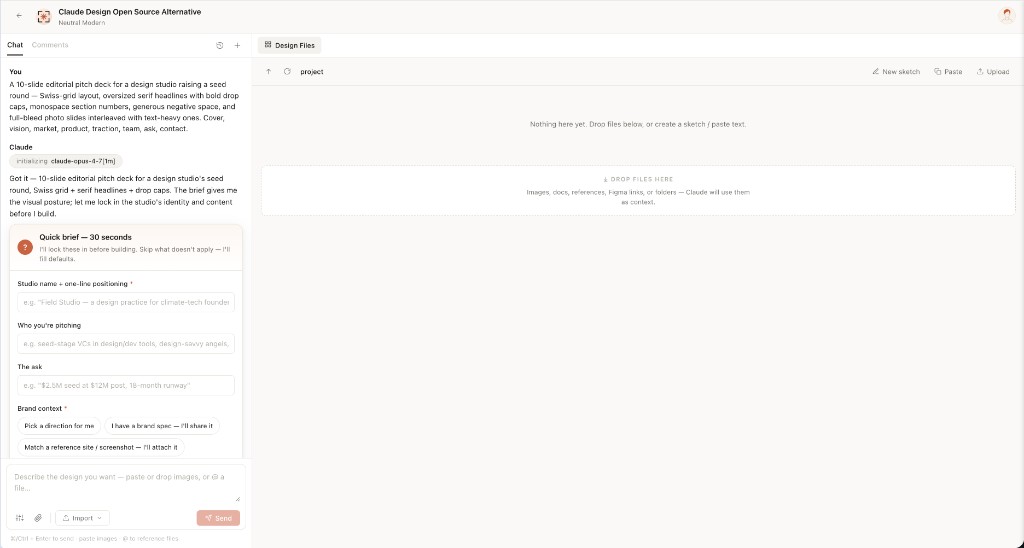 Turn-1 discovery form — before the model writes a pixel, OD locks the brief: surface, audience, tone, brand context, scale. 30 seconds of radios beats 30 minutes of redirects. |
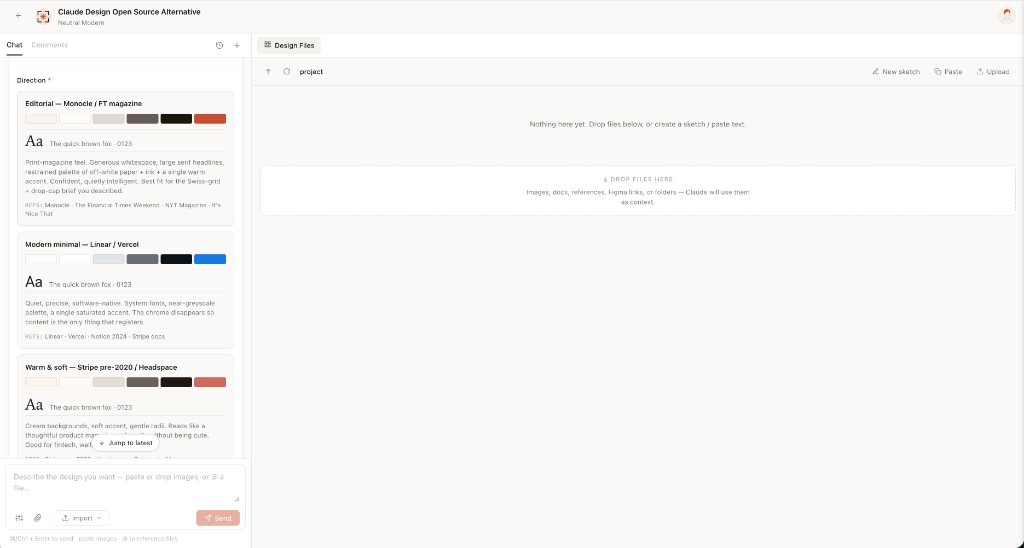 Direction picker — when the user has no brand, the agent emits a second form with 5 curated directions (Monocle / Modern Minimal / Tech Utility / Brutalist / Soft Warm). One radio click → a deterministic palette + font stack, no model freestyle. |
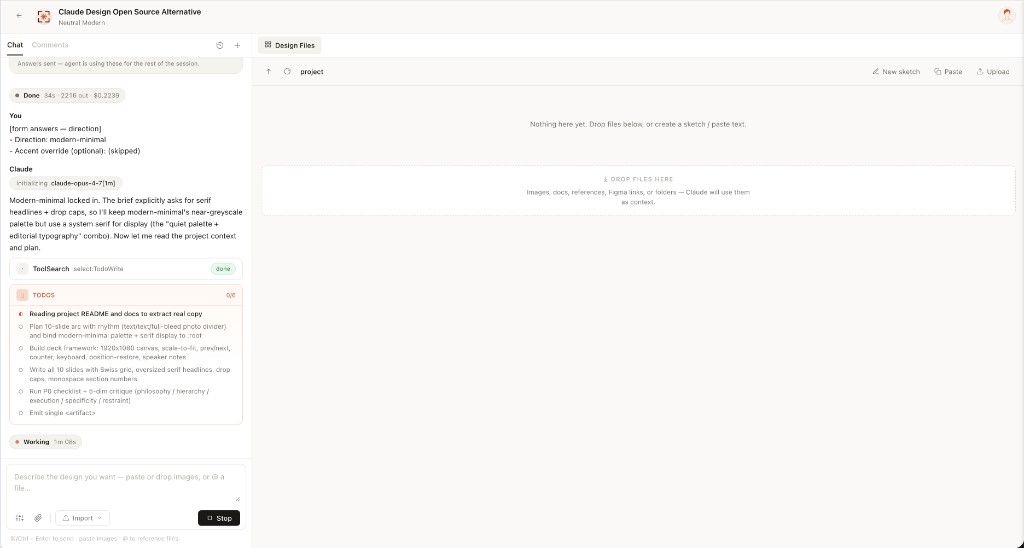 Live todo progress — the agent's plan streams as a live card. in_progress → completed updates land in real time. The user can redirect cheaply, mid-flight.
|
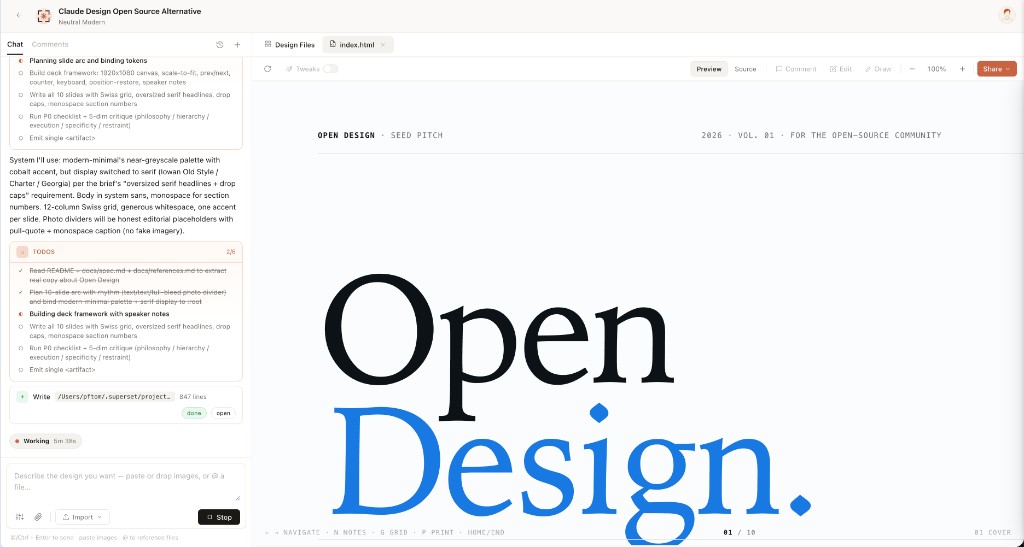 Sandboxed preview — every <artifact> renders in a clean srcdoc iframe. Editable in place via the file workspace; downloadable as HTML, PDF, ZIP.
|
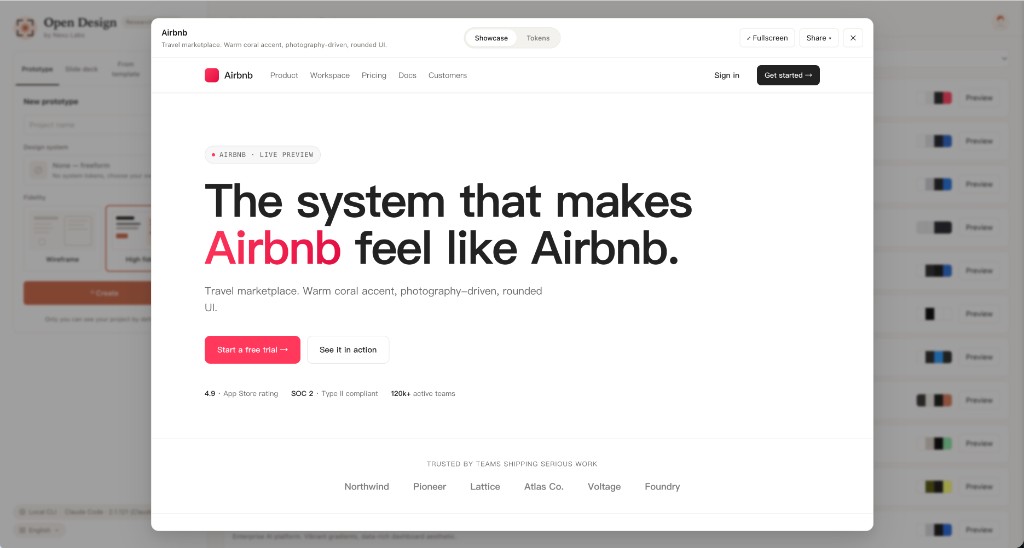 72-system library — every product system shows its 4-color signature. Click for the full DESIGN.md, swatch grid, and live showcase.
|
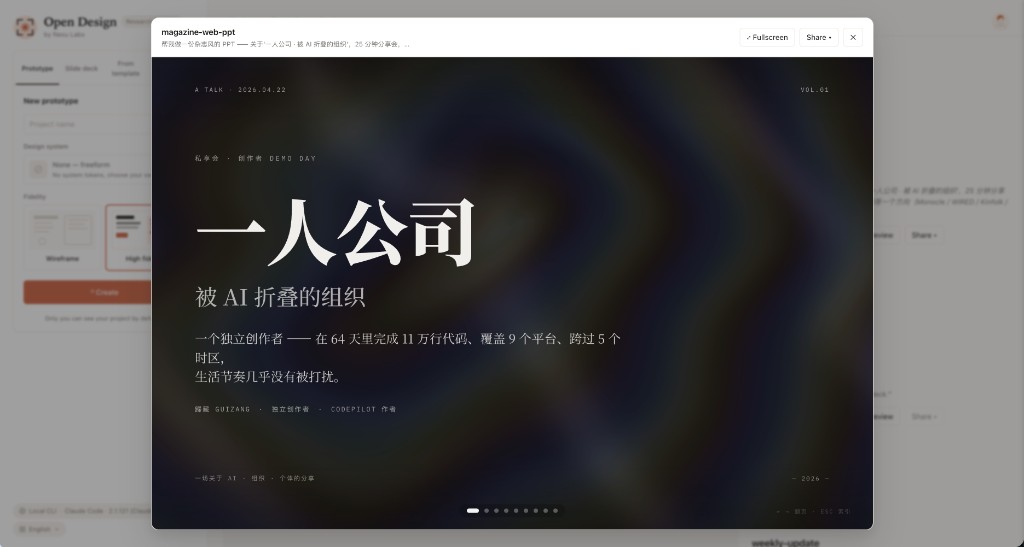 Deck mode (guizang-ppt) — the bundled guizang-ppt-skill drops in unchanged. Magazine layouts, WebGL hero backgrounds, single-file HTML output, PDF export.
|
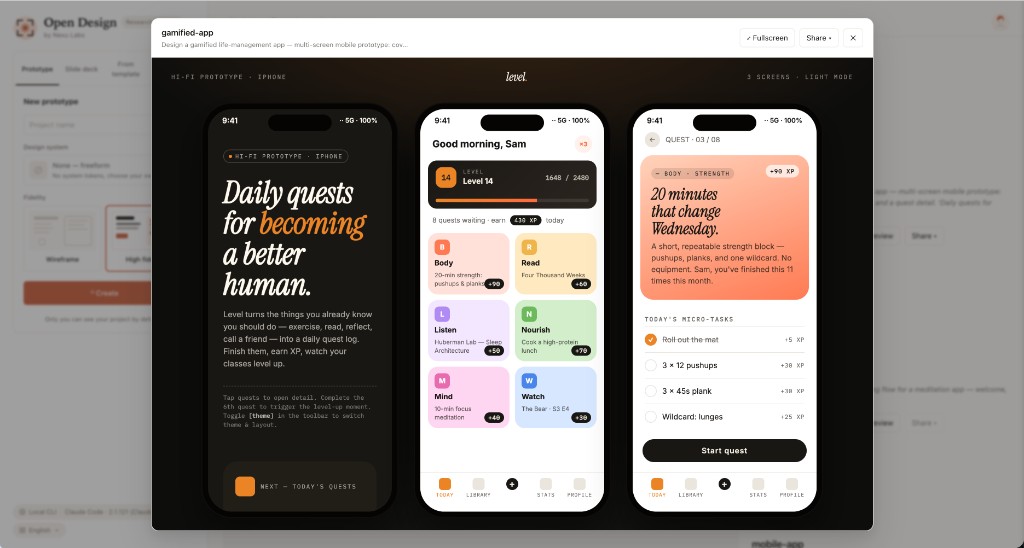 Mobile prototype — pixel-accurate iPhone 15 Pro chrome (Dynamic Island, status bar SVGs, home indicator). Multi-screen prototypes use the shared /frames/ assets so the agent never re-draws a phone.
|
31 skills ship in the box. Each is a folder under skills/ following the Claude Code SKILL.md convention with an extended od: frontmatter that the daemon parses verbatim — mode, platform, scenario, preview.type, design_system.requires, default_for, featured, fidelity, speaker_notes, animations, example_prompt (apps/daemon/src/skills.ts).
Two top-level modes carry the catalog: prototype (27 skills — anything that renders as a single-page artifact, from a magazine landing to a phone screen to a PM spec doc) and deck (4 skills — horizontal-swipe presentations with deck-framework chrome). The scenario field is what the picker groups them by: design · marketing · operation · engineering · product · finance · hr · sale · personal.
The visually distinctive skills you'll most likely run first. Each ships a real example.html you can open straight from the repo to see exactly what the agent will produce — no auth, no setup.
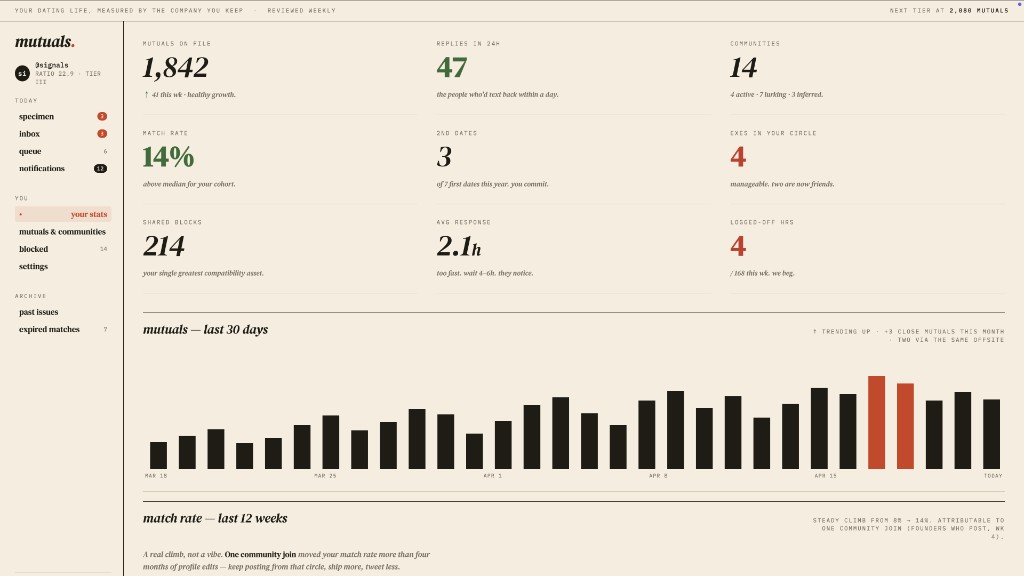 dating-web · prototypeConsumer dating / matchmaking dashboard — left rail nav, ticker bar, KPIs, 30-day mutual-matches chart, editorial typography. |
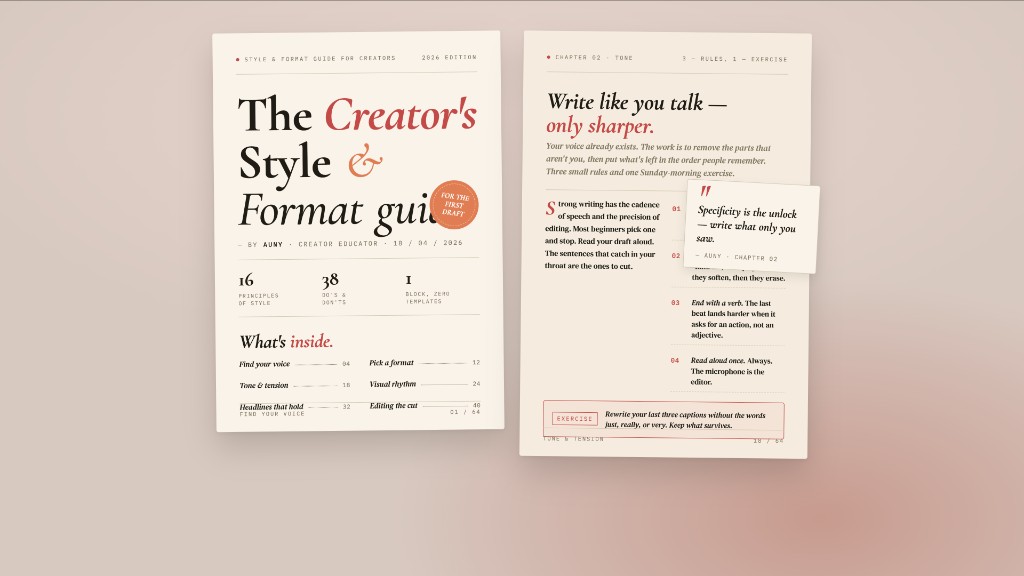 digital-eguide · templateTwo-spread digital e-guide — cover (title, author, TOC teaser) + lesson spread with pull-quote and step list. Creator / lifestyle tone. |
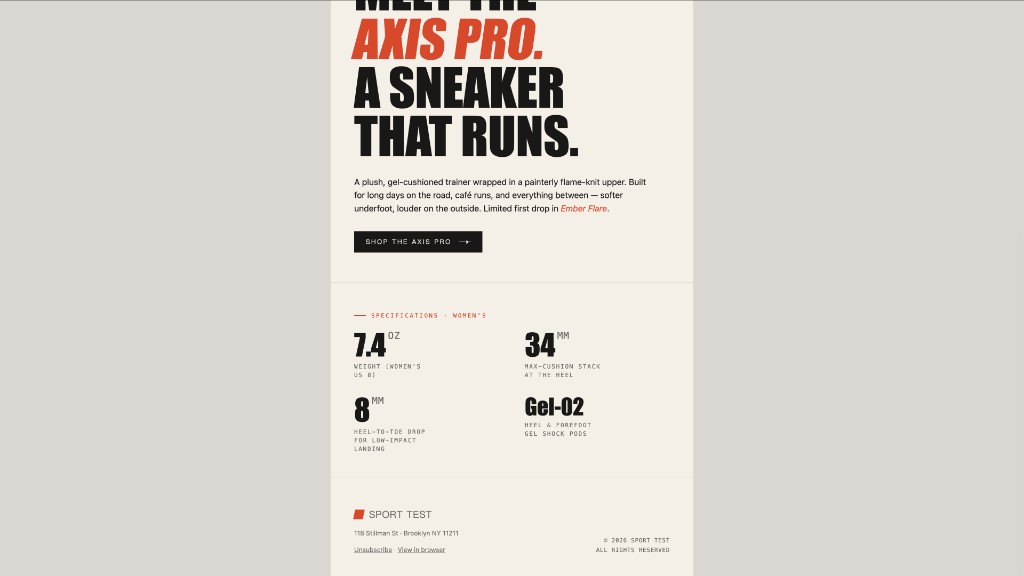 email-marketing · prototypeBrand product-launch HTML email — masthead, hero image, headline lockup, CTA, specs grid. Centered single-column, table-fallback safe. |
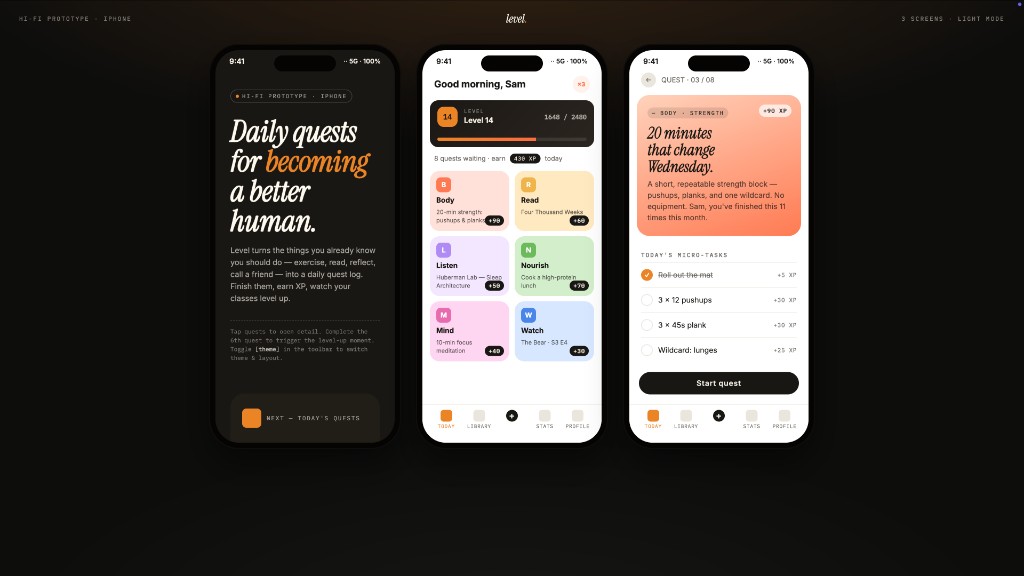 gamified-app · prototypeThree-frame gamified mobile-app prototype on a dark showcase stage — cover, today's quests with XP ribbons + level bar, quest detail. |
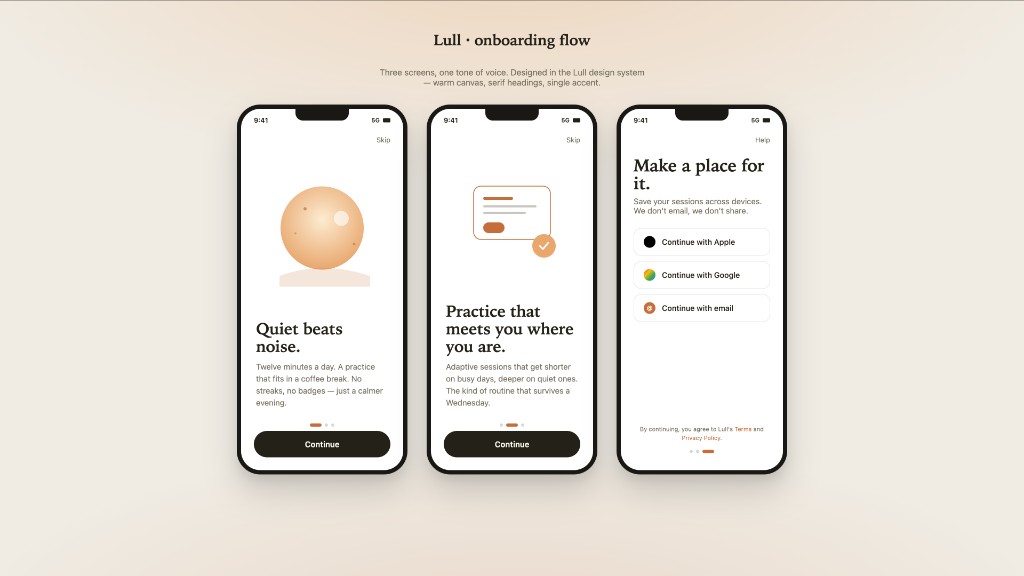 mobile-onboarding · prototypeThree-frame mobile onboarding flow — splash, value-prop, sign-in. Status bar, swipe dots, primary CTA. |
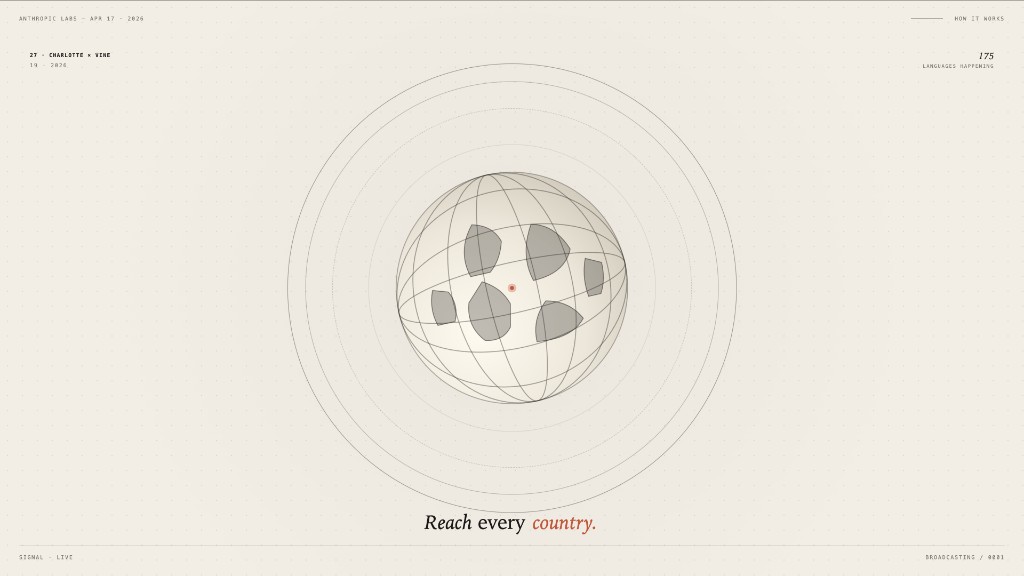 motion-frames · prototypeSingle-frame motion-design hero with looping CSS animations — rotating type ring, animated globe, ticking timer. Hand-off ready for HyperFrames. |
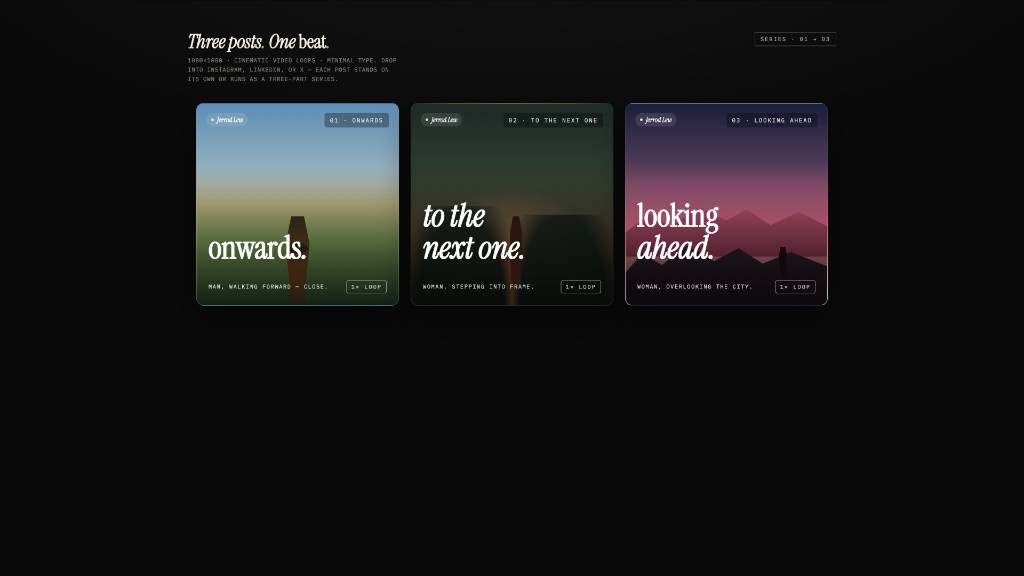 social-carousel · prototypeThree-card 1080×1080 social-media carousel — cinematic panels with display headlines that connect across the series, brand mark, loop affordance. |
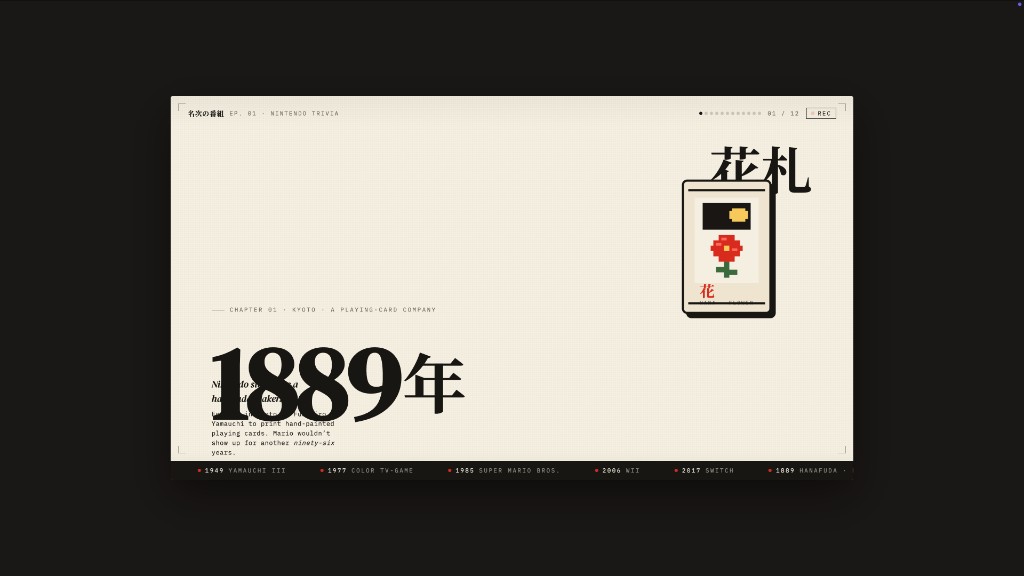 sprite-animation · prototypePixel / 8-bit animated explainer slide — full-bleed cream stage, animated pixel mascot, kinetic Japanese display type, looping CSS keyframes. |
| Skill | Platform | Scenario | What it produces |
|---|---|---|---|
web-prototype | desktop | design | Single-page HTML — landings, marketing, hero pages (default for prototype) |
saas-landing | desktop | marketing | Hero / features / pricing / CTA marketing layout |
dashboard | desktop | operation | Admin / analytics with sidebar + dense data layout |
pricing-page | desktop | sale | Standalone pricing + comparison tables |
docs-page | desktop | engineering | 3-column documentation layout |
blog-post | desktop | marketing | Editorial long-form |
mobile-app | mobile | design | iPhone 15 Pro / Pixel framed app screen(s) |
mobile-onboarding | mobile | design | Multi-screen mobile onboarding flow (splash · value-prop · sign-in) |
gamified-app | mobile | personal | Three-frame gamified mobile-app prototype |
email-marketing | desktop | marketing | Brand product-launch HTML email (table-fallback safe) |
social-carousel | desktop | marketing | 3-card 1080×1080 social carousel |
magazine-poster | desktop | marketing | Single-page magazine-style poster |
motion-frames | desktop | marketing | Motion-design hero with looping CSS animations |
sprite-animation | desktop | marketing | Pixel / 8-bit animated explainer slide |
dating-web | desktop | personal | Consumer dating dashboard mockup |
digital-eguide | desktop | marketing | Two-spread digital e-guide (cover + lesson) |
wireframe-sketch | desktop | design | Hand-drawn ideation sketch — for the "show something visible early" pass |
critique | desktop | design | Five-dimensional self-critique scoresheet (Philosophy · Hierarchy · Detail · Function · Innovation) |
tweaks | desktop | design | AI-emitted tweaks panel — the model surfaces the parameters worth nudging |
| Skill | Default for | What it produces |
|---|---|---|
guizang-ppt | default for deck | Magazine-style web PPT — bundled verbatim from op7418/guizang-ppt-skill, original LICENSE preserved |
simple-deck | — | Minimal horizontal-swipe deck |
replit-deck | — | Product-walkthrough deck (Replit-style) |
weekly-update | — | Team weekly cadence as a swipe deck (progress · blockers · next) |
| Skill | Scenario | What it produces |
|---|---|---|
pm-spec | product | PM specification doc with TOC + decision log |
team-okrs | product | OKR scoresheet |
meeting-notes | operation | Meeting decision log |
kanban-board | operation | Board snapshot |
eng-runbook | engineering | Incident runbook |
finance-report | finance | Exec finance summary |
invoice | finance | Single-page invoice |
hr-onboarding | hr | Role onboarding plan |
Adding a skill takes one folder. Read docs/skills-protocol.md for the extended frontmatter, fork an existing skill, restart the daemon, it appears in the picker. The catalog endpoint is GET /api/skills; per-skill seed assembly (template + side-file references) lives at GET /api/skills/:id/example.
The daemon scans your PATH for claude, codex, devin, cursor-agent, gemini, opencode, qwen, qodercli, copilot, hermes, kimi, pi, kiro-cli, kilo, vibe-acp, and deepseek on startup. Whichever ones it finds become candidate design engines — driven over stdio with one adapter per CLI, swappable from the model picker. Inspired by multica and cc-switch. No CLI installed? The API mode is the same pipeline minus the spawn — choose Anthropic, OpenAI-compatible, Azure OpenAI, or Google Gemini and the daemon forwards normalized SSE chunks back. Loopback is allowed for local LLM providers such as Ollama and LM Studio; non-loopback private, link-local, CGNAT, multicast, reserved, and redirect targets are rejected at the daemon edge.
Following Claude Code's SKILL.md convention, each skill is SKILL.md + assets/ + references/. Drop a folder into skills/, restart the daemon, it appears in the picker. The bundled magazine-web-ppt is op7418/guizang-ppt-skill committed verbatim — original license preserved, attribution preserved.
The 9-section DESIGN.md schema from VoltAgent/awesome-design-md — color, typography, spacing, layout, components, motion, voice, brand, anti-patterns. Every artifact reads from the active system. Switch system → next render uses the new tokens. The dropdown ships with Linear, Stripe, Vercel, Airbnb, Tesla, Notion, Apple, Anthropic, Cursor, Supabase, Figma, Resend, Raycast, Lovable, Cohere, Mistral, ElevenLabs, X.AI, Spotify, Webflow, Sanity, PostHog, Sentry, MongoDB, ClickHouse, Cal, Replicate, Clay, Composio, Xiaohongshu… — plus 57 design skills sourced from awesome-design-skills.
OD's prompt stack hard-codes a RULE 1: every fresh design brief begins with a <question-form id="discovery"> instead of code. Surface · audience · tone · brand context · scale · constraints. A long brief still leaves design decisions open — visual tone, color stance, scale — exactly the things the form locks down in 30 seconds. The cost of a wrong direction is one chat round, not one finished deck.
This is the Junior-Designer mode distilled from huashu-design: batch the questions up front, show something visible early (even a wireframe with grey blocks), let the user redirect cheaply. Combined with the brand-asset protocol (locate · download · grep hex · write brand-spec.md · vocalise), it's the single biggest reason output stops feeling like AI freestyle and starts feeling like a designer who paid attention before painting.
The daemon spawns the CLI with cwd set to the project's artifact folder under .od/projects/<id>/. The agent gets Read, Write, Bash, WebFetch — real tools against a real filesystem. It can Read the skill's assets/template.html, grep your CSS for hex values, write a brand-spec.md, drop generated images, and produce .pptx / .zip / .pdf files that show up in the file workspace as download chips when the turn ends. Sessions, conversations, messages, tabs persist in a local SQLite DB — pop the project open tomorrow and the agent's todo card is right where you left it.
What you compose at send time isn't "system + user". It's:
DISCOVERY directives  (turn-1 form, turn-2 brand branch, TodoWrite, 5-dim critique)
  + identity charter   (OFFICIAL_DESIGNER_PROMPT, anti-AI-slop, junior-pass)
  + active DESIGN.md   (72 systems available)
  + active SKILL.md    (31 skills available)
  + project metadata   (kind, fidelity, speakerNotes, animations, inspiration ids)
  + skill side files   (auto-injected pre-flight: read assets/template.html + references/*.md)
  + (deck kind, no skill seed) DECK_FRAMEWORK_DIRECTIVE   (nav / counter / scroll / print)
Every layer is composable. Every layer is a file you can edit. Read apps/daemon/src/prompts/system.ts and apps/daemon/src/prompts/discovery.ts to see the actual contract.
┌────────────────────── browser (Next.js 16) ──────────────────────┐
│  chat · file workspace · iframe preview · settings · imports     │
└──────────────┬───────────────────────────────────┬───────────────┘
               │ /api/* (rewritten in dev)          │
               ▼                                    ▼
   ┌──────────────────────────────────┐   /api/proxy/{provider}/stream (SSE)
   │  Local daemon (Express + SQLite) │   ─→ any OpenAI-compat
   │                                  │       endpoint (BYOK)
   │  /api/agents          /api/skills│       w/ SSRF blocking
   │  /api/design-systems  /api/projects/…
   │  /api/chat (SSE)      /api/proxy/{provider}/stream (SSE)
   │  /api/templates       /api/import/claude-design
   │  /api/artifacts/save  /api/artifacts/lint
   │  /api/upload          /api/projects/:id/files…
   │  /artifacts (static)  /frames (static)
   │
   │  optional: sidecar IPC at /tmp/open-design/ipc/<ns>/<app>.sock
   │  (STATUS · EVAL · SCREENSHOT · CONSOLE · CLICK · SHUTDOWN)
   └─────────┬────────────────────────┘
             │ spawn(cli, [...], { cwd: .od/projects/<id> })
             ▼
   ┌──────────────────────────────────────────────────────────────────┐
   │  claude · codex · devin (ACP) · gemini · opencode · cursor-agent │
   │  qwen · qoder · copilot · hermes (ACP) · kimi (ACP) · pi (RPC) · kiro (ACP) · kilo (ACP) · vibe (ACP) · deepseek  │
   │  reads SKILL.md + DESIGN.md, writes artifacts to disk            │
   └──────────────────────────────────────────────────────────────────┘
| Layer | Stack |
|---|---|
| Frontend | Next.js 16 App Router + React 18 + TypeScript, Vercel-deployable |
| Daemon | Node 24 · Express · SSE streaming · better-sqlite3; tables: projects · conversations · messages · tabs · templates |
| Agent transport | child_process.spawn; typed-event parsers for claude-stream-json (Claude Code), qoder-stream-json (Qoder CLI), copilot-stream-json (Copilot), json-event-stream per-CLI parsers (Codex / Gemini / OpenCode / Cursor Agent), acp-json-rpc (Devin / Hermes / Kimi / Kiro / Kilo / Mistral Vibe via Agent Client Protocol), pi-rpc (Pi via stdio JSON-RPC), plain (Qwen Code / DeepSeek TUI) |
| BYOK proxy | POST /api/proxy/{anthropic,openai,azure,google,ollama,senseaudio}/stream → provider-specific upstream APIs, normalized delta/end/error SSE; allows loopback local LLM providers, rejects non-loopback private/link-local/CGNAT/multicast/reserved hosts, and disables upstream redirects at the daemon edge |
| Storage | Plain files in .od/projects/<id>/ + SQLite at .od/app.sqlite + credentials at .od/media-config.json (gitignored, auto-created). OD_DATA_DIR=<dir> relocates all daemon data (used for test isolation and read-only-install setups); OD_MEDIA_CONFIG_DIR=<dir> further narrows the override to just media-config.json for setups that want to keep API keys outside the data dir |
| Preview | Sandboxed iframe via srcdoc + per-skill <artifact> parser (apps/web/src/artifacts/parser.ts) |
| Export | HTML (inline assets) · PDF (browser print, deck-aware) · PPTX (agent-driven via skill) · ZIP (archiver) · Markdown |
| Lifecycle | pnpm tools-dev start | stop | run | status | logs | inspect | check; ports via --daemon-port / --web-port, namespaces via --namespace |
| Desktop (optional) | Electron shell — discovers the web URL through sidecar IPC, no port guessing; same STATUS/EVAL/SCREENSHOT/CONSOLE/CLICK/SHUTDOWN channel powers tools-dev inspect desktop … for E2E |
The fastest way to try Open Design is the prebuilt desktop app — no Node, no pnpm, no clone:
Run Open Design without installing Node.js or pnpm locally.
Verify Docker:
docker compose version
git clone https://github.com/nexu-io/open-design.git
cd open-design/deploy
docker compose up -d
Open in your browser:
http://localhost:7456
# View logs
docker compose logs -f

# Restart containers
docker compose restart

# Stop containers
docker compose down

# Pull latest image
docker compose pull
docker compose up -d
For advanced Docker configuration and environment variables, see QUICKSTART.md.
git clone https://github.com/nexu-io/open-design.git
cd open-design
corepack enable
corepack pnpm --version   # should print 10.33.2
pnpm install
pnpm tools-dev run web
# open the web URL printed by tools-dev
Environment requirements: Node ~24 and pnpm 10.33.x. nvm/fnm are optional helpers only; if you use one, run nvm install 24 && nvm use 24 or fnm install 24 && fnm use 24 before pnpm install.
Windows users can follow docs/windows-troubleshooting.md for the native setup path and a tiny double-click launcher.
For desktop/background startup, fixed-port restarts, and media generation dispatcher checks (OD_BIN, OD_DAEMON_URL, apps/daemon/dist/cli.js), see QUICKSTART.md.
The first load:
PATH and picks one automatically../.od/ — the local runtime folder for the SQLite project DB, per-project artifacts, and saved renders. There is no od init step; the daemon mkdirs everything it needs on boot.Type a prompt, hit Send, watch the question form arrive, fill it, watch the todo card stream, watch the artifact render. Click Save to disk or download as a project ZIP.
./.od/)The daemon owns one hidden folder at the repo root. Everything in it is gitignored and machine-local — never commit it.
.od/
├── app.sqlite                 ← projects · conversations · messages · open tabs
├── artifacts/                 ← one-off "Save to disk" renders (timestamped)
└── projects/<id>/             ← per-project working dir, also the agent's cwd
| Want to… | Do this |
|---|---|
| Inspect what's in there | ls -la .od && sqlite3 .od/app.sqlite '.tables' |
| Reset to a clean slate | pnpm tools-dev stop, rm -rf .od, run pnpm tools-dev run web again |
| Move it elsewhere | OD_DATA_DIR=<absolute-or-relative-path> pnpm tools-dev run web — the daemon resolves ~/ and anchors relative paths to the repo root. OD_MEDIA_CONFIG_DIR=<dir> narrows the override to just media-config.json if you want credentials in a separate location. |
.od/ into the installed Desktop appIf you ran the repo first and only later installed the packaged Desktop app, the two writers point at different roots:
Repo dev-server (pnpm tools-dev start web) writes to <repo-root>/.od/.
Installed Desktop app writes under <appData>/Open Design/namespaces/<channel>/data/, where <appData> is Electron's per-OS app-data base (everything before the Open Design segment that app.getPath("userData") already includes). The channel suffix is platform-specific — the release workflows append -win/-linux:
| Platform | <appData> (Electron appData base) | Stable channel | Beta channel |
|---|---|---|---|
| macOS | ~/Library/Application Support | release-stable | release-beta |
| Windows | %APPDATA% (= %USERPROFILE%\AppData\Roaming) | release-stable-win | release-beta-win |
| Linux | $XDG_CONFIG_HOME (default ~/.config) | release-stable-linux | release-beta-linux |
Example resolved paths:
~/Library/Application Support/Open Design/namespaces/release-beta/data/%APPDATA%\Open Design\namespaces\release-beta-win\data\~/.config/Open Design/namespaces/release-beta-linux/data/If unsure, inspect the packaged daemon log right after the app boots; it logs the resolved daemonDataRoot.
⚠️ Do this in a clean state. Migration replaces (not merges) the Desktop app's data dir with your repo
.od/. Both writers must be fully stopped before copying — quit the Desktop app and stop the repo dev-server. SQLite-WAL needs to flush cleanly on both sides; if either daemon is still running it can write SQLite/WAL pages or project/artifact files mid-snapshot, leaving the staged copy inconsistent. If the Desktop app already has projects you care about, decide which side is authoritative before continuing — the steps below back up the Desktop's currentdata/to a sibling but do not merge.
OD_LEGACY_DATA_DIRUse this when the Desktop app's data/ is still empty, which is the typical state right after the upgrade that surfaced #710. Quit the Desktop app first (so its daemon is not holding app.sqlite), then re-launch with OD_LEGACY_DATA_DIR pointed at your old repo .od/. The daemon stages your payload into a sibling tmp directory and only promotes it into data/ on success; on any failure the staging directory is removed so the next boot retries cleanly.
The daemon refuses, with a visible startup error, when:
OD_LEGACY_DATA_DIR does not contain app.sqlite (typo, deleted source, wrong path), ordata/ already contains any of app.sqlite, projects/, artifacts/, media-config.json, etc. SQLite/WAL pairs and project trees cannot be safely interleaved, so the daemon refuses to merge instead of silently corrupting either side. If the Desktop has already booted and seeded its own data/, use Option B and decide explicitly which side wins.A .migrated-from marker is written on success so subsequent boots no-op.
Quit the Desktop app first, then re-launch with this env set. The launcher must put the variable into the app process environment, not just the shell that runs open / xdg-open.
macOS (LaunchServices does not inherit shell env, so use the direct binary):
OD_LEGACY_DATA_DIR="/path/to/old/repo/.od" \
  "/Applications/Open Design.app/Contents/MacOS/Open Design"
If you prefer the Dock launcher, set the variable in launchctl first, open the app, then unset it:
launchctl setenv OD_LEGACY_DATA_DIR "/path/to/old/repo/.od"
open "/Applications/Open Design.app"
# After the migration log line appears:
launchctl unsetenv OD_LEGACY_DATA_DIR
Linux (run the binary directly so the env var actually reaches it):
OD_LEGACY_DATA_DIR="/path/to/old/repo/.od" /path/to/open-design
# (e.g. the AppImage you launched, or the unpacked binary under /opt)
Windows (PowerShell):
$env:OD_LEGACY_DATA_DIR="C:\path\to\old\repo\.od"
& "$env:LOCALAPPDATA\Programs\Open Design\Open Design.exe"
The daemon log records [od-migrate] migration complete: copied N entries (...). After the first launch you can clear the env variable; the marker prevents re-migration even on subsequent runs.
To carry your existing projects, SQLite, artifacts, and media-config.json over to the Desktop app, when Option A is not viable (Desktop already has its own data and you want to replace it explicitly).
macOS / Linux (bash):
set -euo pipefail
# 1. Stop both writers so the source and target are quiescent.
#    - Quit the Desktop app (Cmd+Q on macOS, File → Exit on Linux).
#    - Stop the repo dev-server: `pnpm tools-dev stop` from the repo root.
# 2. Set REPO and APP_DATA to your actual paths; the example below is macOS + beta.
REPO="/path/to/open-design"
APP_DATA="$HOME/Library/Application Support/Open Design/namespaces/release-beta/data"

# 3. Preflight: see what (if anything) the Desktop app already has.
ls "$APP_DATA/projects" 2>/dev/null && echo "Desktop already has projects, confirm this is a replace, not a merge."

# 4. Stage into a sibling first, then atomically swap into place. `set -e` plus
#    the explicit rsync exit check guarantee a non-zero copy aborts before any
#    `mv` runs, so the Desktop data dir cannot end up half-populated.
STAGE="${APP_DATA}.staged-$(date +%F-%H%M)"
mkdir -p "$STAGE"
rsync -a --exclude='backup-*' "$REPO/.od/" "$STAGE/" || { echo "rsync failed, aborting before swap"; exit 1; }

# 5. Backup the Desktop's current data, then promote the staged copy.
mv "$APP_DATA" "${APP_DATA}.fresh-baseline-$(date +%F-%H%M)"
mv "$STAGE" "$APP_DATA"

# 6. Relaunch the Desktop app. The daemon applies forward schema changes on boot.
Windows (PowerShell):
$ErrorActionPreference = 'Stop'
# 1. Stop both writers so the source and target are quiescent.
#    - Quit the Desktop app (File > Exit).
#    - Stop the repo dev-server: `pnpm tools-dev stop` from the repo root.
# 2. Set $Repo and $AppData to your actual paths; the example below is stable channel.
$Repo    = 'C:\path\to\open-design'
$AppData = Join-Path $env:APPDATA 'Open Design\namespaces\release-stable-win\data'

# 3. Preflight: see what (if anything) the Desktop app already has.
if (Test-Path (Join-Path $AppData 'projects')) {
  Write-Host 'Desktop already has projects, confirm this is a replace, not a merge.'
}

# 4. Stage into a sibling first. Robocopy /MIR mirrors source to staging, and
#    its exit codes >= 8 are real errors (0..7 are success/info), so we guard
#    explicitly before promoting.
$Stamp = Get-Date -Format 'yyyy-MM-dd-HHmm'
$Stage = "$AppData.staged-$Stamp"
robocopy "$Repo\.od" $Stage /MIR /XD 'backup-*' | Out-Null
if ($LASTEXITCODE -ge 8) { throw "robocopy failed (exit $LASTEXITCODE), aborting before swap" }

# 5. Backup the Desktop's current data, then promote the staged copy.
if (Test-Path $AppData) { Rename-Item $AppData "$AppData.fresh-baseline-$Stamp" }
Rename-Item $Stage $AppData

# 6. Relaunch the Desktop app. The daemon applies forward schema changes on boot.
If anything looks wrong after relaunch, restore the original Desktop data by deleting $APP_DATA (or $AppData on Windows) and renaming the .fresh-baseline-* directory back into place.
⚠️ Schema migrations are forward-only. The daemon applies
CREATE TABLE IF NOT EXISTS/ALTER TABLEchanges on boot; there is no version guard. After migrating, do not open the same data dir with an older repo checkout — unsupported columns or behavior mismatches can leave the workspace inconsistent. Back upapp.sqlite*before the first launch with the new app.
⚠️ Advanced: sharing one data dir between repo dev-server and Desktop app. Pointing both at the same dir via
OD_DATA_DIRis possible but only safe one-at-a-time. The daemon opensapp.sqlitein WAL mode and writes uncoordinated files underprojects/andartifacts/; running both writers concurrently can corrupt SQLite or clobber artifacts. Always stop the Desktop app before starting the dev-server, and stop the dev-server before opening the Desktop app:OD_DATA_DIR="$HOME/Library/Application Support/Open Design/namespaces/release-beta/data" \ pnpm tools-dev start web
Full file map, scripts, and troubleshooting → QUICKSTART.md.
Open Design can run as a web app in your browser or as an Electron desktop application. Both modes share the same local daemon + web architecture.
# Foreground mode — keeps the lifecycle command in the foreground (logs written to files)
pnpm tools-dev run web

# View recent logs:
pnpm tools-dev logs

# Background mode — daemon + web run as background processes
pnpm tools-dev start web
By default, tools-dev binds to available ephemeral ports and prints the actual URLs on startup. To use fixed ports from a stopped state:
pnpm tools-dev run web --daemon-port 17456 --web-port 17573
If daemon/web are already running, use restart to switch ports in the existing session:
pnpm tools-dev restart --daemon-port 17456 --web-port 17573
# Start daemon + web + desktop in the background
pnpm tools-dev

# Check desktop status
pnpm tools-dev inspect desktop status

# Take a screenshot of the desktop app
pnpm tools-dev inspect desktop screenshot --path /tmp/open-design.png
The desktop app discovers the web URL automatically via sidecar IPC — no port guessing required.
| Command | What it does |
|---|---|
pnpm tools-dev status | Show running sidecar statuses |
pnpm tools-dev logs | Show daemon/web/desktop log tails |
pnpm tools-dev stop | Stop all running sidecars |
pnpm tools-dev restart | Stop then restart all sidecars |
pnpm tools-dev check | Status + recent logs + common diagnostics |
For fixed-port restarts, background startup, and full troubleshooting see QUICKSTART.md.
A flake is published at the repo root. Home Manager is the recommended path for individual developers; a NixOS module is also exposed for shared/server installs. See nix/README.md for the full surface (data dir, secrets, webFrontend vs. bringing your own server, OD_DAEMON_URL).
# Home Manager
inputs.open-design.url = "github:nexu-io/open-design";
# then: imports = [ inputs.open-design.homeManagerModules.default ];
nix run github:nexu-io/open-design # boot the daemon (`od`) without installing
For developers, a Nix dev shell is available and can be used with direnv too:
nix develop # dev shell with required dependencies to work on Open Design
Open Design ships a stdio MCP server. Wire it into Claude Code, Codex, Cursor, VS Code, Antigravity, Zed, Windsurf, or any MCP-compatible client and the agent in another repo can read files from your local Open Design projects directly. Replaces the export-then-attach loop. When the agent calls search_files, get_file, or get_artifact without a project argument, the MCP defaults to whatever project (and file) you have open in Open Design right now, so prompts like "build this in my app" or "match these styles" just work.
Why MCP? Exporting and re-attaching a zip every design iteration breaks flow. The MCP server exposes your design source directly -- tokens CSS, JSX components, entry HTML -- as a structured API the agent can query by name. The agent always sees the live file, not a stale copy from the last export.
Open Settings → MCP server in the Open Design app for a per-client install flow. The panel bakes the absolute path to your node binary and the daemon's built cli.js into every snippet, so it works on a fresh source clone where od is not on your PATH. Cursor gets a one-click deeplink; the rest get a copy-paste JSON snippet in the schema their config file expects (Claude Code includes a claude mcp add-json one-liner so you do not have to hand-edit ~/.claude.json). Restart or reload your client after install for the server to show up.
The daemon must be running locally for MCP tool calls to succeed. If the agent was started before Open Design, restart the agent after Open Design is up so it can reach the live daemon. Tool calls made while the daemon is offline return a clear "daemon not reachable" error rather than a crash.
Security model. The MCP server is read-only; it exposes file reads, file metadata, and search -- nothing that writes to disk or calls an external service. It runs as a child process of the coding agent over stdio, so any MCP client you register inherits read access to your local Open Design projects. Treat it like installing a VS Code extension: only register clients you trust. The daemon binds to 127.0.0.1 by default; LAN-wide exposure requires an explicit OD_BIND_HOST opt-in. If you also front the SPA with a non-loopback static server, set OD_ALLOWED_ORIGINS=<origin1>,<origin2>,... (comma-separated scheme://host[:port] entries) so the daemon's same-origin gate accepts API writes from those origins on both the Origin and Host checks; without it the browser will see 403s on every PUT/POST (Caddy v2 reverse_proxy preserves the original Host header upstream by default, so loopback alone is not enough). Connector-credential and live-artifact preview routes stay loopback-only regardless.
open-design/
├── README.md                      ← this file
├── README.de.md                   ← Deutsch
├── README.ru.md                   ← Русский
├── README.zh-CN.md                ← 简体中文
├── QUICKSTART.md                  ← run / build / deploy guide
├── package.json                   ← pnpm workspace, single bin: od
│
├── apps/
│   ├── daemon/                    ← Node + Express, the only server
│   │   ├── src/                   ← TypeScript daemon source
│   │   │   ├── cli.ts             ← `od` bin source, compiled to dist/cli.js
│   │   │   ├── server.ts          ← /api/* routes (projects, chat, files, exports)
│   │   │   ├── agents.ts          ← PATH scanner + per-CLI argv builders
│   │   │   ├── claude-stream.ts   ← streaming JSON parser for Claude Code stdout
│   │   │   ├── skills.ts          ← SKILL.md frontmatter loader
│   │   │   └── db.ts              ← SQLite schema (projects/messages/templates/tabs)
│   │   ├── sidecar/               ← tools-dev daemon sidecar wrapper
│   │   └── tests/                 ← daemon package tests
│   │
│   └── web/                       ← Next.js 16 App Router + React client
│       ├── app/                   ← App Router entrypoints
│       ├── next.config.ts         ← dev rewrites + prod static export to out/
│       └── src/                   ← React + TypeScript client modules
│           ├── App.tsx            ← routing, bootstrap, settings
│           ├── components/        ← chat, composer, picker, preview, sketch, …
│           ├── prompts/
│           │   ├── system.ts      ← composeSystemPrompt(base, skill, DS, metadata)
│           │   ├── discovery.ts   ← turn-1 form + turn-2 branch + 5-dim critique
│           │   └── directions.ts  ← 5 visual directions × OKLch palette + font stack
│           ├── artifacts/         ← streaming <artifact> parser + manifests
│           ├── runtime/           ← iframe srcdoc, markdown, export helpers
│           ├── providers/         ← daemon SSE + BYOK API transports
│           └── state/             ← config + projects (localStorage + daemon-backed)
│
├── e2e/                           ← Playwright UI + external integration/Vitest harness
│
├── packages/
│   ├── contracts/                 ← shared web/daemon app contracts
│   ├── sidecar-proto/             ← Open Design sidecar protocol contract
│   ├── sidecar/                   ← generic sidecar runtime primitives
│   └── platform/                  ← generic process/platform primitives
│
├── skills/                        ← 31 SKILL.md skill bundles (27 prototype + 4 deck)
│   ├── web-prototype/             ← default for prototype mode
│   ├── saas-landing/  dashboard/  pricing-page/  docs-page/  blog-post/
│   ├── mobile-app/  mobile-onboarding/  gamified-app/
│   ├── email-marketing/  social-carousel/  magazine-poster/
│   ├── motion-frames/  sprite-animation/  digital-eguide/  dating-web/
│   ├── critique/  tweaks/  wireframe-sketch/
│   ├── pm-spec/  team-okrs/  meeting-notes/  kanban-board/
│   ├── eng-runbook/  finance-report/  invoice/  hr-onboarding/
│   ├── simple-deck/  replit-deck/  weekly-update/   ← deck mode
│   └── guizang-ppt/               ← bundled magazine-web-ppt (default for deck)
│       ├── SKILL.md
│       ├── assets/template.html   ← seed
│       └── references/{themes,layouts,components,checklist}.md
│
├── design-systems/                ← 72 DESIGN.md systems
│   ├── default/                   ← Neutral Modern (starter)
│   ├── warm-editorial/            ← Warm Editorial (starter)
│   ├── linear-app/  vercel/  stripe/  airbnb/  notion/  cursor/  apple/  …
│   └── README.md                  ← catalog overview
│
├── assets/
│   └── frames/                    ← shared device frames (used cross-skill)
│       ├── iphone-15-pro.html
│       ├── android-pixel.html
│       ├── ipad-pro.html
│       ├── macbook.html
│       └── browser-chrome.html
│
├── templates/
│   ├── deck-framework.html        ← deck baseline (nav / counter / print)
│   └── kami-deck.html             ← kami-flavored deck starter (parchment / ink-blue serif)
│
├── scripts/
│   └── sync-design-systems.ts     ← re-import upstream awesome-design-md tarball
│
├── docs/
│   ├── spec.md                    ← product spec, scenarios, differentiation
│   ├── architecture.md            ← topologies, data flow, components
│   ├── skills-protocol.md         ← extended SKILL.md od: frontmatter
│   ├── agent-adapters.md          ← per-CLI detection + dispatch
│   ├── new-agent-runtime-acp.md   ← ACP-over-stdio runtime integration guide
│   ├── modes.md                   ← prototype / deck / template / design-system
│   ├── references.md              ← long-form provenance
│   ├── roadmap.md                 ← phased delivery
│   ├── schemas/                   ← JSON schemas
│   └── examples/                  ← canonical artifact examples
│
└── .od/                           ← runtime data, gitignored, auto-created
    ├── app.sqlite                 ← projects / conversations / messages / tabs
    ├── projects/<id>/             ← per-project working folder (agent's cwd)
    └── artifacts/                 ← saved one-off renders
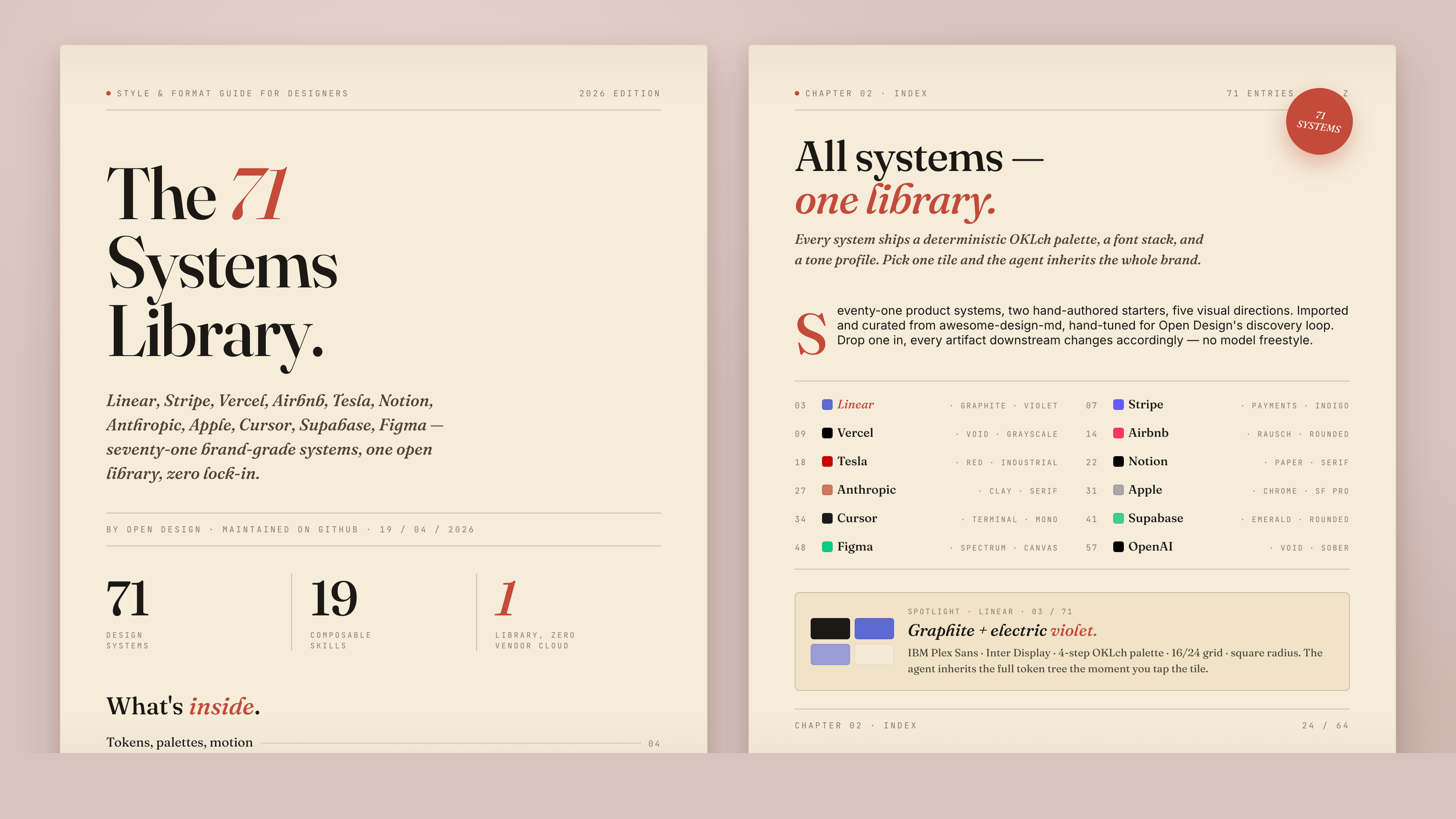
72 systems out of the box, each as a single DESIGN.md:
AI & LLM — claude · cohere · mistral-ai · minimax · together-ai · replicate · runwayml · elevenlabs · ollama · x-ai
Developer Tools — cursor · vercel · linear-app · framer · expo · clickhouse · mongodb · supabase · hashicorp · posthog · sentry · warp · webflow · sanity · mintlify · lovable · composio · opencode-ai · voltagent
Productivity — notion · figma · miro · airtable · superhuman · intercom · zapier · cal · clay · raycast
Fintech — stripe · coinbase · binance · kraken · mastercard · revolut · wise
E-Commerce — shopify · airbnb · uber · nike · starbucks · pinterest
Media — spotify · playstation · wired · theverge · meta
Automotive — tesla · bmw · ferrari · lamborghini · bugatti · renault
Other — apple · ibm · nvidia · vodafone · sentry · resend · spacex
Starters — default (Neutral Modern) · warm-editorial
The product-system library is imported via scripts/sync-design-systems.ts from VoltAgent/awesome-design-md. Re-run to refresh. The 57 design skills are sourced from bergside/awesome-design-skills and added directly in design-systems/.
When the user has no brand spec, the agent emits a second form with five curated directions — the OD adaptation of huashu-design's "5 schools × 20 design philosophies" fallback. Each direction is a deterministic spec — palette in OKLch, font stack, layout posture cues, references — that the agent binds verbatim into the seed template's :root. One radio click → a fully specified visual system. No improvisation, no AI-slop.
| Direction | Mood | Refs |
|---|---|---|
| Editorial — Monocle / FT | Print magazine, ink + cream + warm rust | Monocle · FT Weekend · NYT Magazine |
| Modern minimal — Linear / Vercel | Cool, structured, minimal accent | Linear · Vercel · Stripe |
| Tech utility | Information density, monospace, terminal | Bloomberg · Bauhaus tools |
| Brutalist | Raw, oversized type, no shadows, harsh accents | Bloomberg Businessweek · Achtung |
| Soft warm | Generous, low contrast, peachy neutrals | Notion marketing · Apple Health |
Full spec → apps/daemon/src/prompts/directions.ts.
OD doesn't stop at code. The same chat surface that produces <artifact> HTML also drives image, video, and audio generation, with model adapters wired into the daemon's media pipeline (apps/daemon/src/media-models.ts, apps/web/src/media/models.ts). Every render lands as a real file in the project workspace — .png for image, .mp4 for video — and shows up as a download chip when the turn ends.
Three model families carry the load today:
| Surface | Model | Provider | What it's for |
|---|---|---|---|
| Image | gpt-image-2 | Azure / OpenAI | Posters, profile avatars, illustrated maps, infographics, magazine-style social cards, photo restoration, exploded-view product art |
| Video | seedance-2.0 | ByteDance Volcengine | 15s cinematic t2v + i2v with audio — narrative shorts, character close-ups, product films, MV-style choreography |
| Video | hyperframes-html | HeyGen / OSS | HTML→MP4 motion graphics — product reveals, kinetic typography, data charts, social overlays, logo outros, TikTok-style verticals with karaoke captions |
A growing prompt gallery at prompt-templates/ ships 93 ready-to-replicate prompts — 43 image (prompt-templates/image/*.json), 39 Seedance (prompt-templates/video/*.json excluding hyperframes-*), 11 HyperFrames (prompt-templates/video/hyperframes-*.json). Each carries a preview thumbnail, the prompt body verbatim, the target model, the aspect ratio, and a source block for license + attribution. The daemon serves them at GET /api/prompt-templates, the web app surfaces them as a card grid in the Image templates and Video templates tabs of the entry view; one click drops a prompt into the composer with the right model preselected.
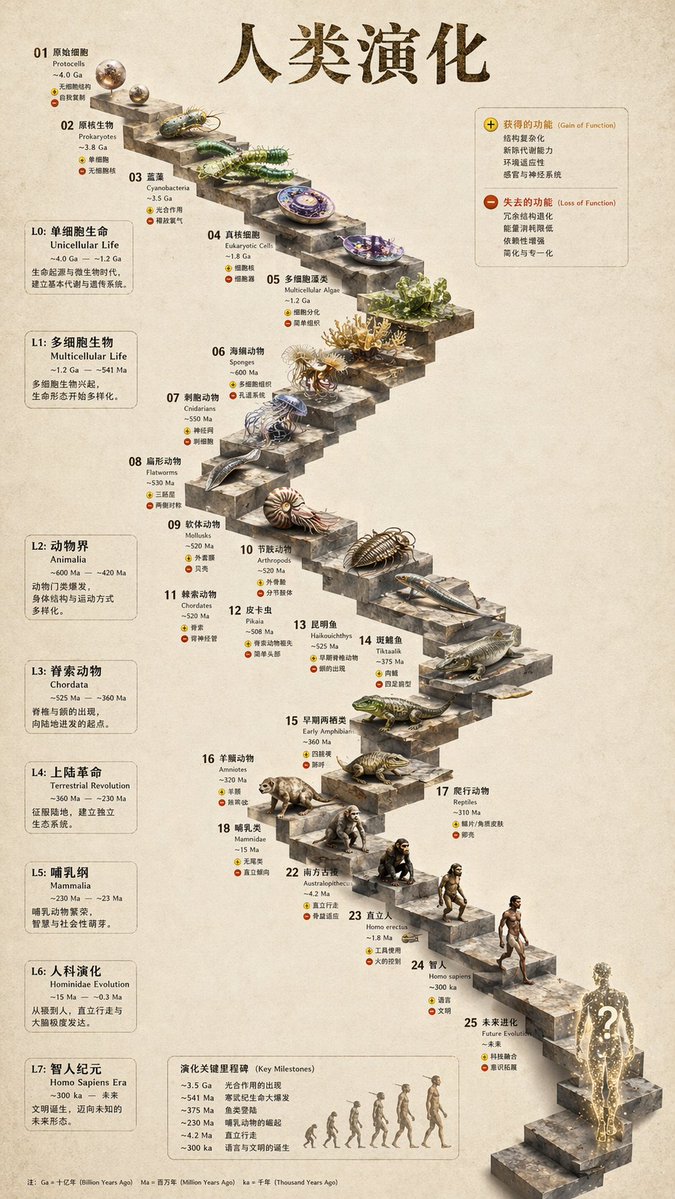 3D Stone Staircase Evolution Infographic 3-step infographic, hewn-stone aesthetic | 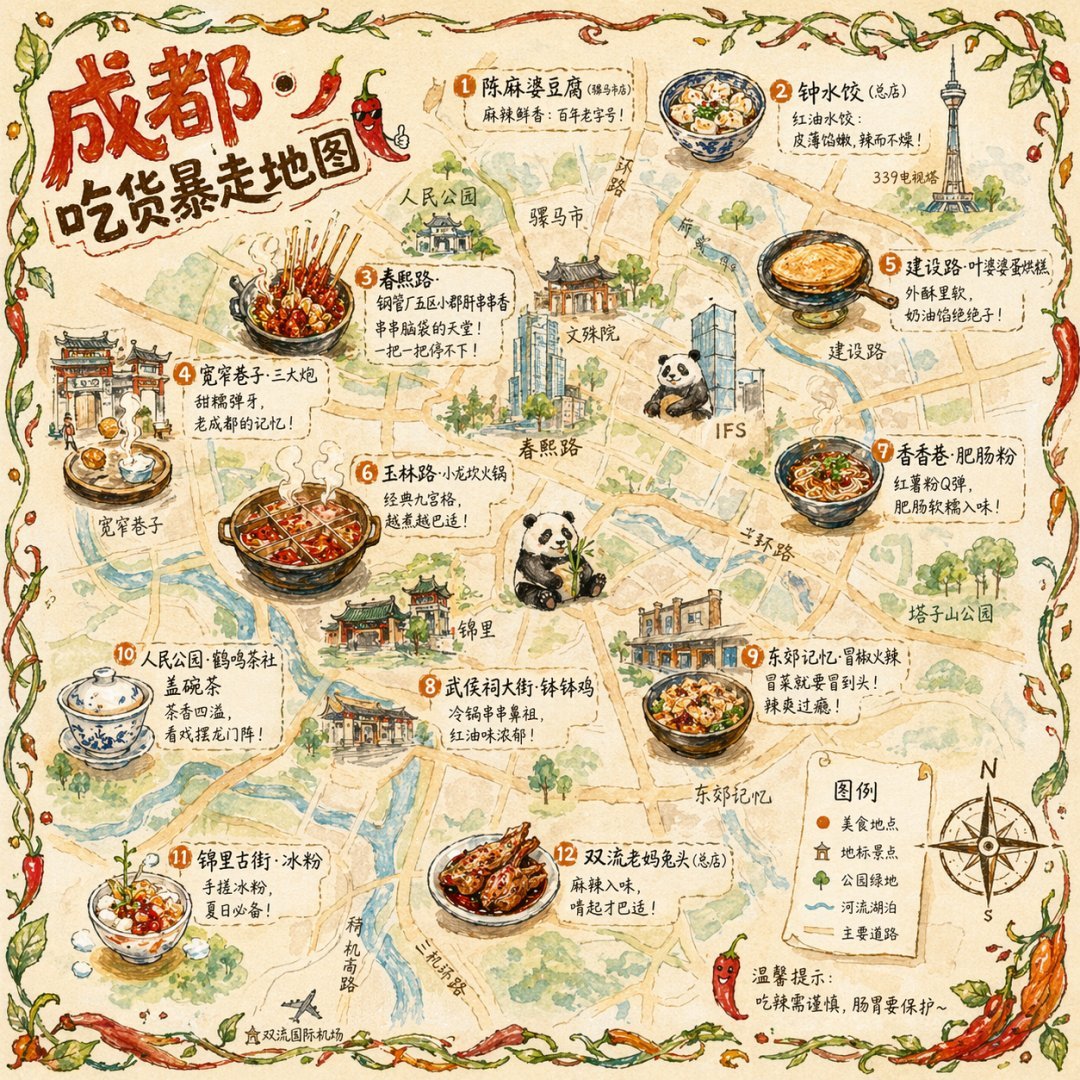 Illustrated City Food Map Editorial hand-illustrated travel poster | 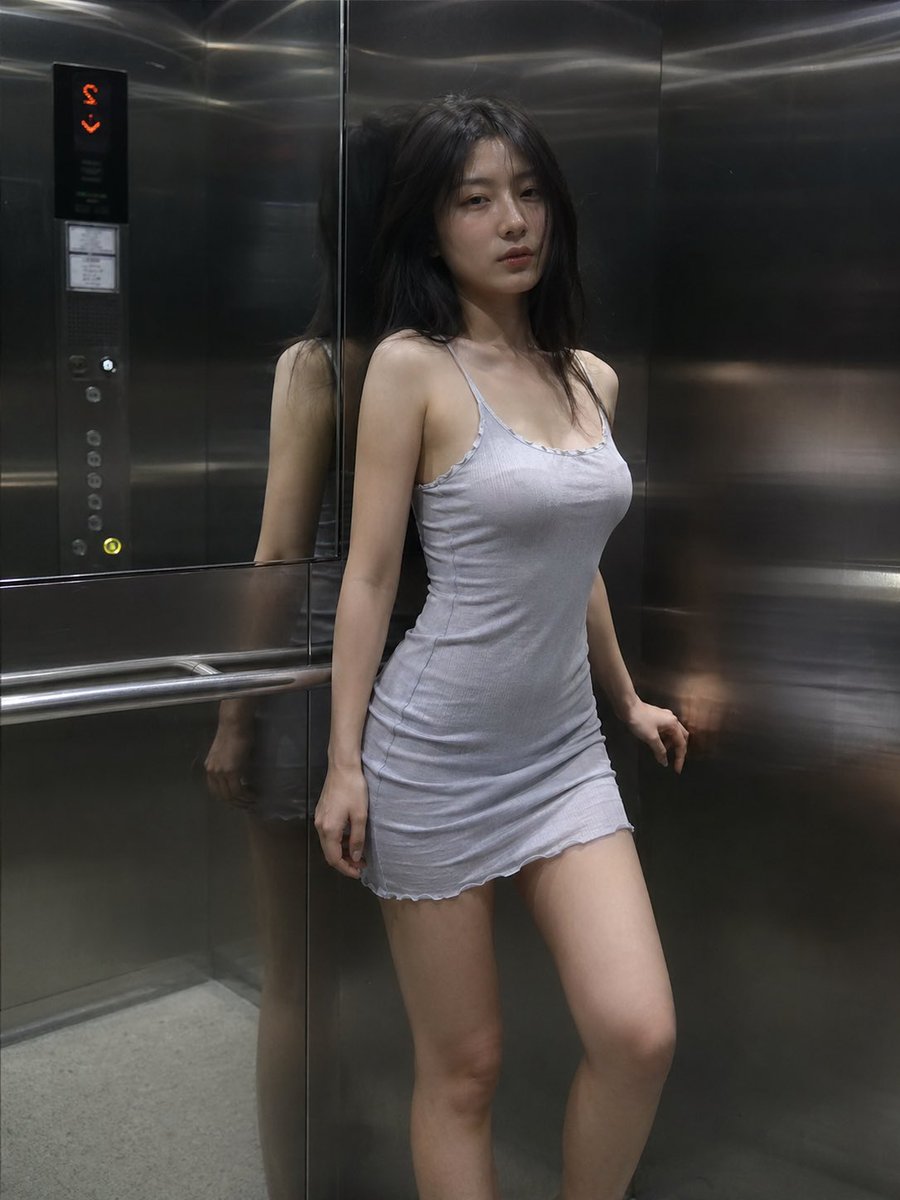 Cinematic Elevator Scene Single-frame editorial fashion still | 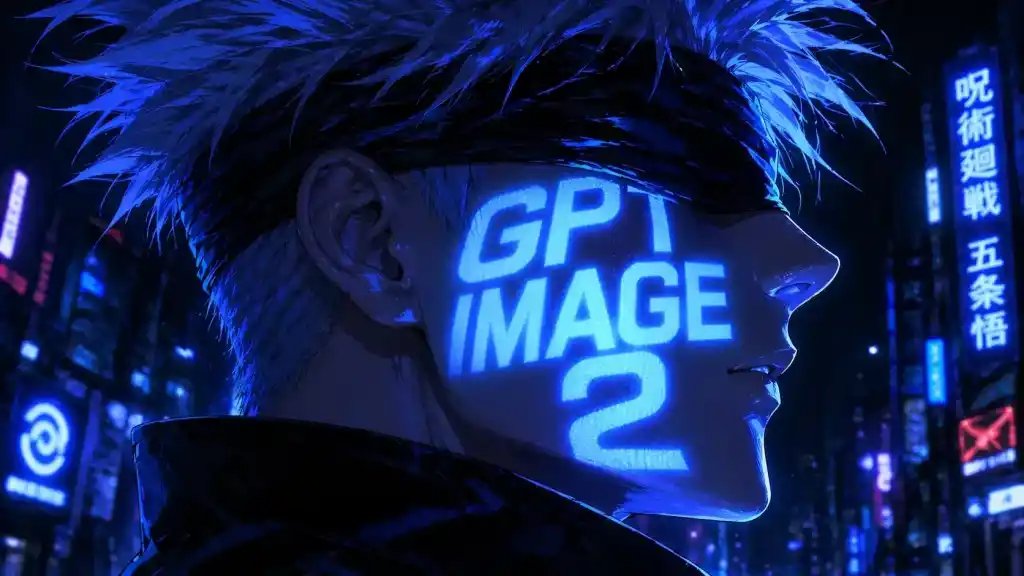 Cyberpunk Anime Portrait Profile avatar — neon face text |  Glamorous Woman in Black Portrait Editorial studio portrait |
Full set → prompt-templates/image/. Sources: most pull from YouMind-OpenLab/awesome-gpt-image-prompts (CC-BY-4.0) with author attribution preserved per template.
 Music Podcast & Guitar Technique 4K cinematic studio film |  Emotional Face Close-up Cinematic micro-expression study |  Luxury Supercar Cinematic Narrative product film |  Forbidden City Cat Satire Stylised satire short |  Japanese Romance Short Film 15s Seedance 2.0 narrative |
Click any thumbnail to play the actual rendered MP4. Full set → prompt-templates/video/ (the *-seedance-* and Cinematic-tagged entries). Sources: YouMind-OpenLab/awesome-seedance-2-prompts (CC-BY-4.0) with original tweet links and author handles preserved.
heygen-com/hyperframes is HeyGen's open-source agent-native video framework — you (or the agent) write HTML + CSS + GSAP, HyperFrames renders it to a deterministic MP4 via headless Chrome + FFmpeg. Open Design ships HyperFrames as a first-class video model (hyperframes-html) wired into the daemon dispatch, plus the skills/hyperframes/ skill that teaches the agent the timeline contract, scene-transition rules, audio-reactive patterns, captions/TTS, and the catalog blocks (npx hyperframes add <slug>).
Eleven hyperframes prompts ship under prompt-templates/video/hyperframes-*.json, each one a concrete brief that produces a specific archetype:
 5s minimal product reveal · 16:9 · push-in title card with shader transition | 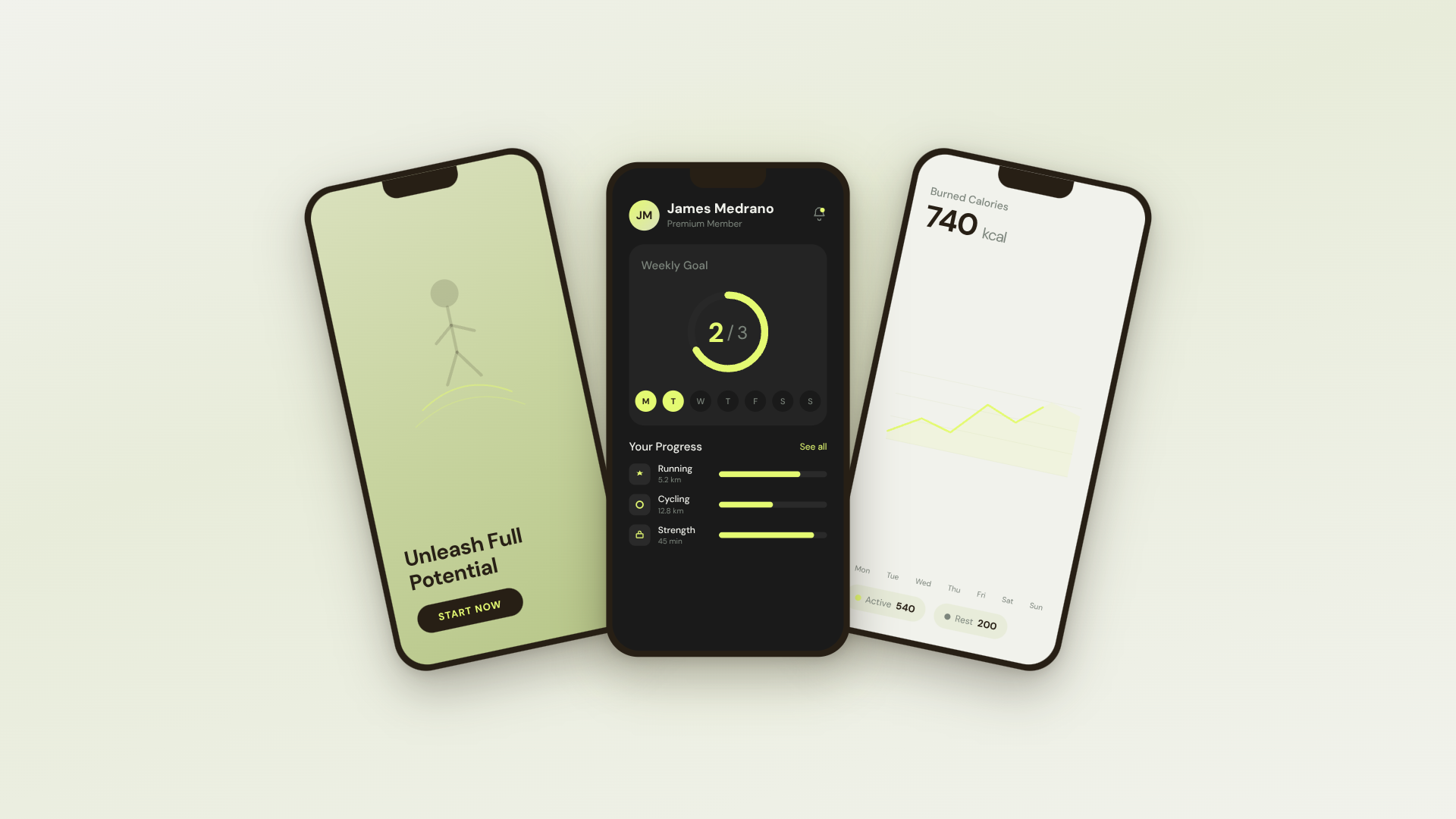 30s SaaS product promo · 16:9 · Linear/ClickUp-style with UI 3D reveals |  TikTok karaoke talking-head · 9:16 · TTS + word-synced captions | 30s brand sizzle reel · 16:9 · beat-synced kinetic typography, audio-reactive |
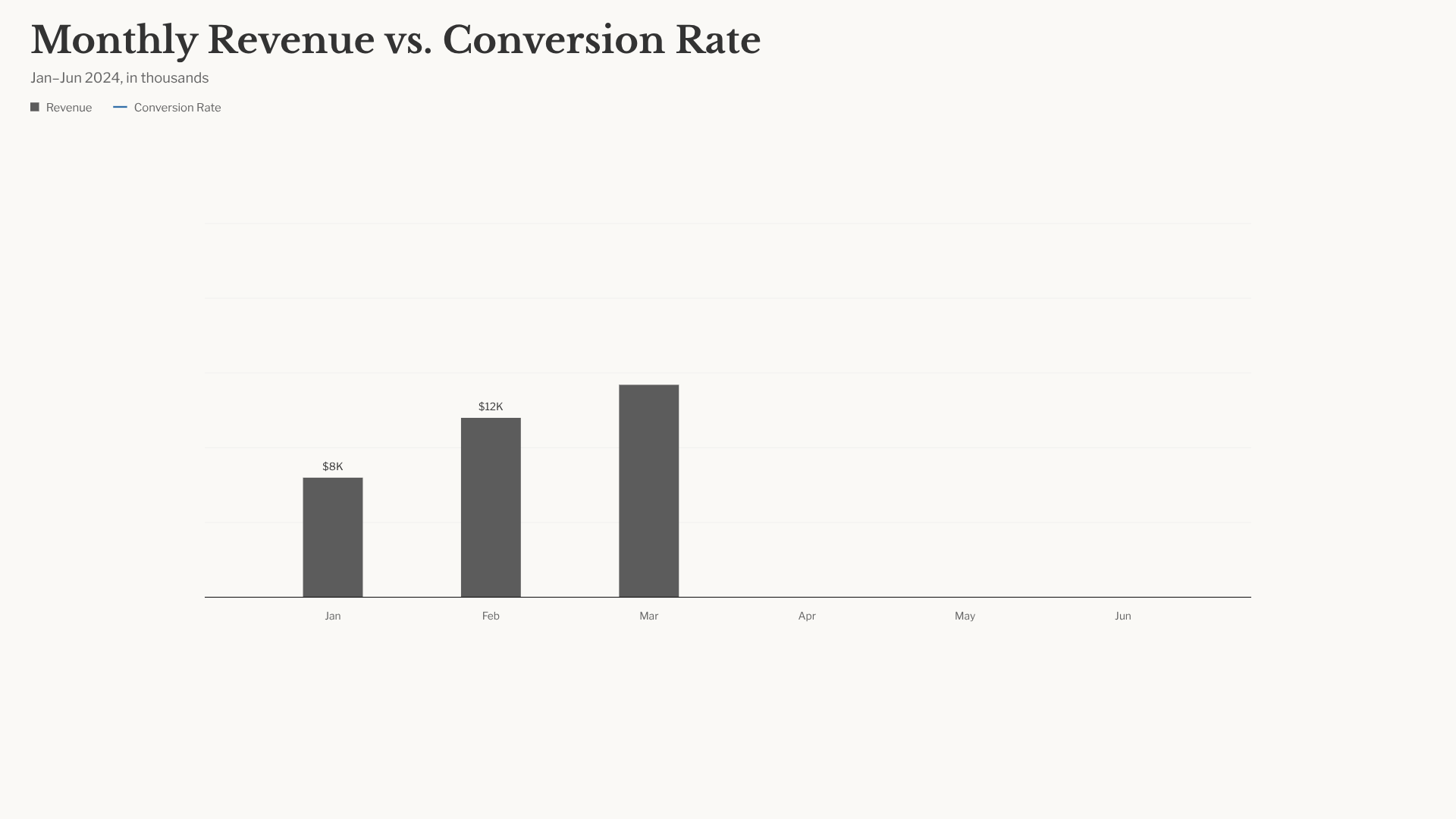 Animated bar-chart race · 16:9 · NYT-style data infographic | 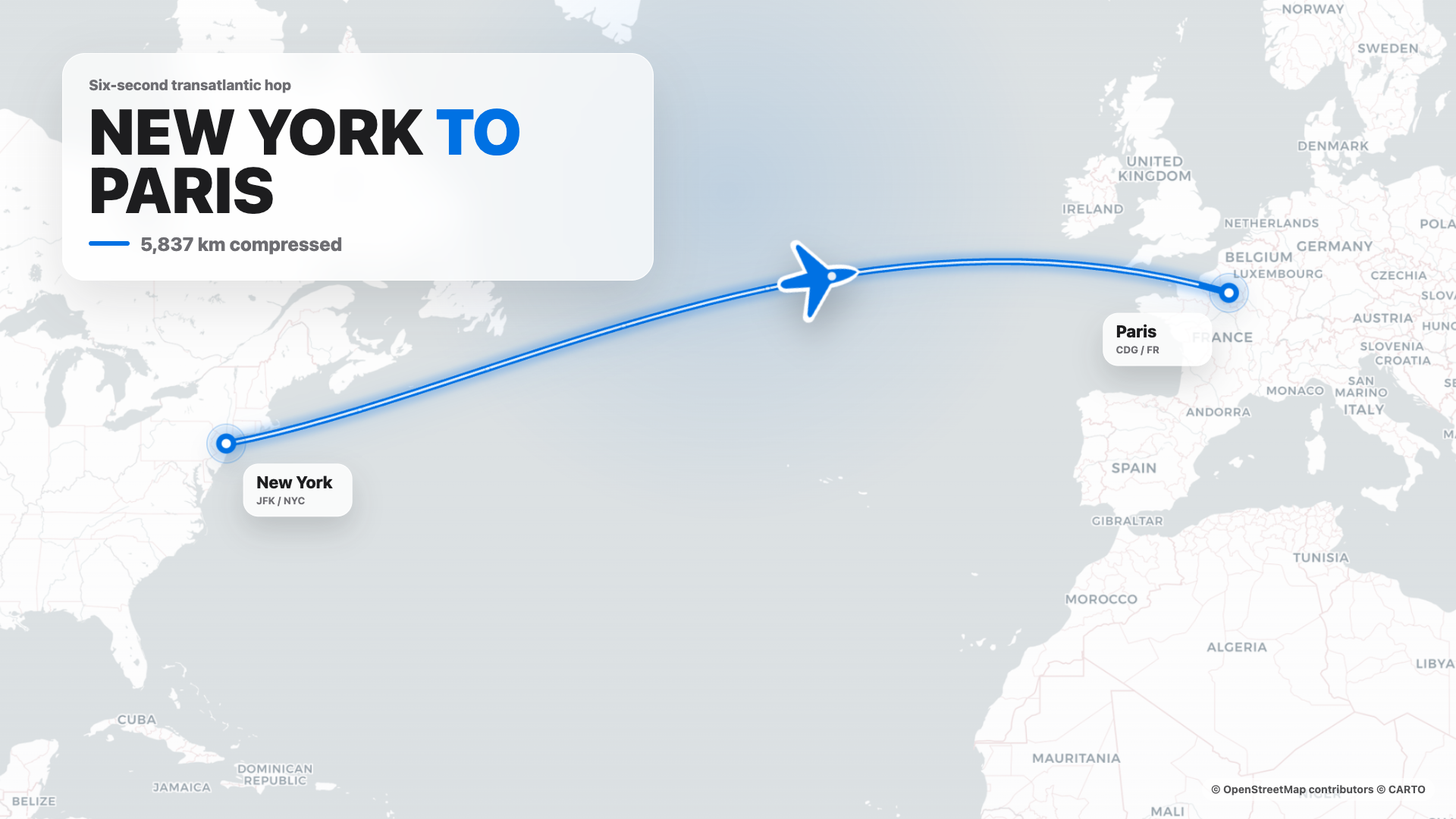 Flight map (origin → dest) · 16:9 · Apple-style cinematic route reveal | 4s cinematic logo outro · 16:9 · piece-by-piece assembly + bloom |  $0 → $10K money counter · 9:16 · Apple-style hype with green flash + burst |
3-phone app showcase · 16:9 · floating phones with feature callouts |  Social overlay stack · 9:16 · X · Reddit · Spotify · Instagram in sequence | Website-to-video pipeline · 16:9 · captures site at 3 viewports + transitions |
Pattern is the same as the rest: pick a template, edit the brief, send. The agent reads the bundled skills/hyperframes/SKILL.md (which carries the OD-specific render workflow — composition source files into a .hyperframes-cache/ so they don't clutter the file workspace, daemon dispatches npx hyperframes render to dodge the macOS sandbox-exec / Puppeteer hang, only the final .mp4 lands as a project chip), authors the composition, and ships an MP4. Catalog block thumbnails © HeyGen, served from their CDN; the OSS framework itself is Apache-2.0.
Also wired but not surfaced as templates yet: Kling 2.0 / 1.6 / 1.5, Veo 3 / Veo 2, Sora 2 / Sora 2-Pro (via Fal), MiniMax video-01 — all live in
VIDEO_MODELS(apps/web/src/media/models.ts). Suno v5 / v4.5, Udio v2, Lyria 2 (music) and gpt-4o-mini-tts, MiniMax TTS (speech) cover the audio surface. Templates for these are open contributions — drop a JSON intoprompt-templates/video/orprompt-templates/audio/and it shows up in the picker.
The chat / artifact loop gets the spotlight, but a handful of less-visible capabilities are already wired and worth knowing before you compare OD to anything else:
POST /api/import/claude-design extracts it into a real .od/projects/<id>/, opens the entry file as a tab, and stages a continue-where-Anthropic-left-off prompt for your local agent. No re-prompting, no "ask the model to re-create what we just had". (apps/daemon/src/server.ts — /api/import/claude-design)POST /api/proxy/{anthropic,openai,azure,google,ollama,senseaudio}/stream takes { baseUrl, apiKey, model, messages }, builds the provider-specific upstream request, normalizes SSE chunks into delta/end/error, and allows loopback local LLM providers while rejecting non-loopback private, link-local, CGNAT, multicast, reserved, and redirect targets to head off SSRF. OpenAI-compatible covers OpenAI, Azure AI Foundry /openai/v1, DeepSeek, Groq, MiMo, OpenRouter, Ollama, LM Studio, and self-hosted vLLM; Azure OpenAI adds deployment URL + api-version; Google uses Gemini :streamGenerateContent.POST /api/templates snapshots the HTML + metadata into the SQLite templates table. The next project picks it from a "your templates" row in the picker — same surface as the shipped 31, but yours.tabs table. Reopen the project tomorrow and the workspace looks exactly the way you left it.POST /api/artifacts/lint runs structural checks on a generated artifact (broken <artifact> framing, missing required side files, stale palette tokens) and returns findings the agent can read back into its next turn. The five-dim self-critique uses this to ground its score in real evidence, not vibes.app · mode · namespace · ipc · source) and expose a JSON-RPC IPC channel at /tmp/open-design/ipc/<namespace>/<app>.sock. tools-dev inspect desktop status \| eval \| screenshot drives that channel, so headless E2E works against a real Electron shell without bespoke harnesses (packages/sidecar-proto/, apps/desktop/src/main/).CreateProcess's ~32 KB argv limit on long composed prompts (Codex, Gemini, OpenCode, Cursor Agent, Qwen, Qoder CLI, Pi) feeds the prompt over stdin instead. Claude Code and Copilot keep -p; the daemon falls back to a temp prompt-file when even that overflows.OD_DATA_DIR and --namespace give you fully isolated .od/-style trees, so Playwright, beta channels, and your real projects never share a SQLite file.The whole machinery below is the huashu-design playbook, ported into OD's prompt-stack and made enforceable per-skill via the side-file pre-flight. Read apps/daemon/src/prompts/discovery.ts for the live wording:
<question-form> only — no thinking, no tools, no narration. The user chooses defaults at radio speed.brand-spec.md · vocalise) before writing CSS. Never guesses brand colors from memory.<artifact>, the agent silently scores its output 1–5 across philosophy / hierarchy / execution / specificity / restraint. Anything under 3/5 is a regression — fix and rescore. Two passes is normal.references/checklist.md with hard P0 gates. The agent must pass P0 before emitting.— or a labelled grey block, not "10× faster".| Axis | Claude Design (Anthropic) | Open CoDesign | Open Design |
|---|---|---|---|
| License | Closed | MIT | Apache-2.0 |
| Form factor | Web (claude.ai) | Desktop (Electron) | Web app + local daemon |
| Deployable on Vercel | ❌ | ❌ | ✅ |
| Agent runtime | Bundled (Opus 4.7) | Bundled (pi-ai) | Delegated to user's existing CLI |
| Skills | Proprietary | 12 custom TS modules + SKILL.md | 31 file-based SKILL.md bundles, droppable |
| Design system | Proprietary | DESIGN.md (v0.2 roadmap) | DESIGN.md × 129 systems shipped |
| Provider flexibility | Anthropic only | 7+ via pi-ai | 16 CLI adapters + OpenAI-compatible BYOK proxy |
| Init question form | ❌ | ❌ | ✅ Hard rule, turn 1 |
| Direction picker | ❌ | ❌ | ✅ 5 deterministic directions |
| Live todo progress + tool stream | ❌ | ✅ | ✅ (UX pattern from open-codesign) |
| Sandboxed iframe preview | ❌ | ✅ | ✅ (pattern from open-codesign) |
| Claude Design ZIP import | n/a | ❌ | ✅ POST /api/import/claude-design — keep editing where Anthropic left off |
| Comment-mode surgical edits | ❌ | ✅ | 🟡 partial — preview element comments + chat attachments; surgical patch reliability still in progress |
| AI-emitted tweaks panel | ❌ | ✅ | 🚧 roadmap — dedicated chat-side panel UX is not implemented yet |
| Filesystem-grade workspace | ❌ | partial (Electron sandbox) | ✅ Real cwd, real tools, persisted SQLite (projects · conversations · messages · tabs · templates) |
| 5-dim self-critique | ❌ | ❌ | ✅ Pre-emit gate |
| Artifact lint | ❌ | ❌ | ✅ POST /api/artifacts/lint — findings fed back to the agent |
| Sidecar IPC + headless desktop | ❌ | ❌ | ✅ Stamped processes + tools-dev inspect desktop status | eval | screenshot |
| Export formats | Limited | HTML / PDF / PPTX / ZIP / Markdown | HTML / PDF / PPTX (agent-driven) / ZIP / Markdown |
| PPT skill reuse | N/A | Built-in | guizang-ppt-skill drops in (default for deck mode) |
| Minimum billing | Pro / Max / Team | BYOK | BYOK — paste any OpenAI-compatible baseUrl |
Auto-detected from PATH on daemon boot. No config required. Streaming dispatch lives in apps/daemon/src/agents.ts (AGENT_DEFS); per-CLI parsers live alongside it. Models are populated either by probing <bin> --list-models / <bin> models / ACP handshake, or from a curated fallback list when the CLI doesn't expose a list.
| Agent | Bin | Stream format | Argv shape (composed prompt path) |
|---|---|---|---|
| Claude Code | claude | claude-stream-json (typed events) | claude -p <prompt> --output-format stream-json --verbose [--include-partial-messages] [--add-dir …] --permission-mode bypassPermissions |
| Codex CLI | codex | json-event-stream + codex parser | codex exec --json --skip-git-repo-check --sandbox workspace-write -c sandbox_workspace_write.network_access=true [-C cwd] [--add-dir …] [--model …] [-c model_reasoning_effort=…] (prompt on stdin) |
| Devin for Terminal | devin | acp-json-rpc | devin --permission-mode dangerous --respect-workspace-trust false acp |
| Gemini CLI | gemini | json-event-stream + gemini parser | GEMINI_CLI_TRUST_WORKSPACE=true gemini --output-format stream-json --yolo [--model …] (prompt on stdin) |
| OpenCode | opencode | json-event-stream + opencode parser | opencode run --format json --dangerously-skip-permissions [--model …] - (prompt on stdin) |
| Cursor Agent | cursor-agent | json-event-stream + cursor-agent parser | cursor-agent --print --output-format stream-json --stream-partial-output --force --trust [--workspace cwd] [--model …] - (prompt on stdin) |
| Qwen Code | qwen | plain (raw stdout chunks) | qwen --yolo [--model …] - (prompt on stdin) |
| Qoder CLI | qodercli | qoder-stream-json (typed events) | qodercli -p --output-format stream-json --permission-mode bypass_permissions [--cwd cwd] [--model …] [--add-dir …] (prompt on stdin) |
| GitHub Copilot CLI | copilot | copilot-stream-json (typed events) | copilot -p <prompt> --allow-all-tools --output-format json [--model …] [--add-dir …] |
| Hermes | hermes | acp-json-rpc (Agent Client Protocol) | hermes acp --accept-hooks |
| Kimi CLI | kimi | acp-json-rpc | kimi acp |
| Kiro CLI | kiro-cli | acp-json-rpc | kiro-cli acp |
| Kilo | kilo | acp-json-rpc | kilo acp |
| Mistral Vibe CLI | vibe-acp | acp-json-rpc | vibe-acp |
| DeepSeek TUI | deepseek | plain (raw stdout chunks) | deepseek exec --auto [--model …] <prompt> (prompt as positional arg) |
| Pi | pi | pi-rpc (stdio JSON-RPC) | pi --mode rpc [--model …] [--thinking …] (prompt sent as RPC prompt command) |
| Multi-provider BYOK | n/a | SSE normalization | POST /api/proxy/{provider}/stream → Anthropic / OpenAI-compatible / Azure OpenAI / Gemini; SSRF-guarded with loopback local providers allowed, non-loopback internal ranges blocked, and upstream redirects disabled |
Adding a new CLI is one entry in apps/daemon/src/agents.ts. Streaming format is one of claude-stream-json, qoder-stream-json, copilot-stream-json, json-event-stream (with a per-CLI eventParser), acp-json-rpc, pi-rpc, or plain.
Every external project this repo borrows from. Each link goes to the source so you can verify the provenance.
| Project | Role here |
|---|---|
Claude Design | The closed-source product this repo is the open-source alternative to. |
alchaincyf/huashu-design | The design-philosophy core. Junior-Designer workflow, the 5-step brand-asset protocol, anti-AI-slop checklist, 5-dimensional self-critique, and the "5 schools × 20 design philosophies" library behind our direction picker — all distilled into apps/daemon/src/prompts/discovery.ts and apps/daemon/src/prompts/directions.ts. |
op7418/guizang-ppt-skill | Magazine-web-PPT skill bundled verbatim under skills/guizang-ppt/ with original LICENSE preserved. Default for deck mode. P0/P1/P2 checklist culture borrowed for every other skill. |
multica-ai/multica | The daemon + adapter architecture. PATH-scan agent detection, local daemon as the only privileged process, agent-as-teammate worldview. We adopt the model; we do not vendor the code. |
OpenCoworkAI/open-codesign | The first open-source Claude-Design alternative and our closest peer. UX patterns adopted: streaming-artifact loop, sandboxed-iframe preview (vendored React 18 + Babel), live agent panel (todos + tool calls + interruptible), five-format export list (HTML/PDF/PPTX/ZIP/Markdown), local-first storage hub, SKILL.md taste-injection, and the first pass of comment-mode preview annotations. UX patterns still on our roadmap: full surgical-edit reliability and AI-emitted tweaks panel. We deliberately do not vendor pi-ai — open-codesign bundles it as the agent runtime; we delegate to whichever CLI the user already has. |
VoltAgent/awesome-claude-design / awesome-design-md | Source of the 9-section DESIGN.md schema and 70 product systems imported via scripts/sync-design-systems.ts. |
bergside/awesome-design-skills | Source of 57 design skills added directly as normalized DESIGN.md files under design-systems/. |
farion1231/cc-switch | Inspiration for symlink-based skill distribution across multiple agent CLIs. |
| Claude Code skills | The SKILL.md convention adopted verbatim — any Claude Code skill drops into skills/ and is picked up by the daemon. |
Long-form provenance write-up — what we take from each, what we deliberately don't — lives at docs/references.md.
/api/proxy/{anthropic,openai,azure,google,ollama,senseaudio}/stream) with SSRF guard/api/import/claude-design)npx od init to scaffold a project with DESIGN.mdod skills install <github-repo>) and od skill add | list | remove | test CLI surface (drafted in docs/skills-protocol.md, implementation pending)apps/packaged/ — macOS (Apple Silicon, with Intel x64 ZIP builds verified on Monterey) and Windows (x64) downloads on open-design.ai and the GitHub releases pagePhased delivery → docs/roadmap.md.
This is an early implementation — the closed loop (detect → pick skill + design system → chat → parse <artifact> → preview → save) runs end-to-end. The prompt stack and skill library are where most of the value lives, and they're stable. The component-level UI is shipping daily.
Follow @nexudotio on X for release notes, new skills, new design systems, and the occasional behind-the-scenes thread on what's shipping next. Discord is for chat, X is for the milestones — both links are in the badges above.
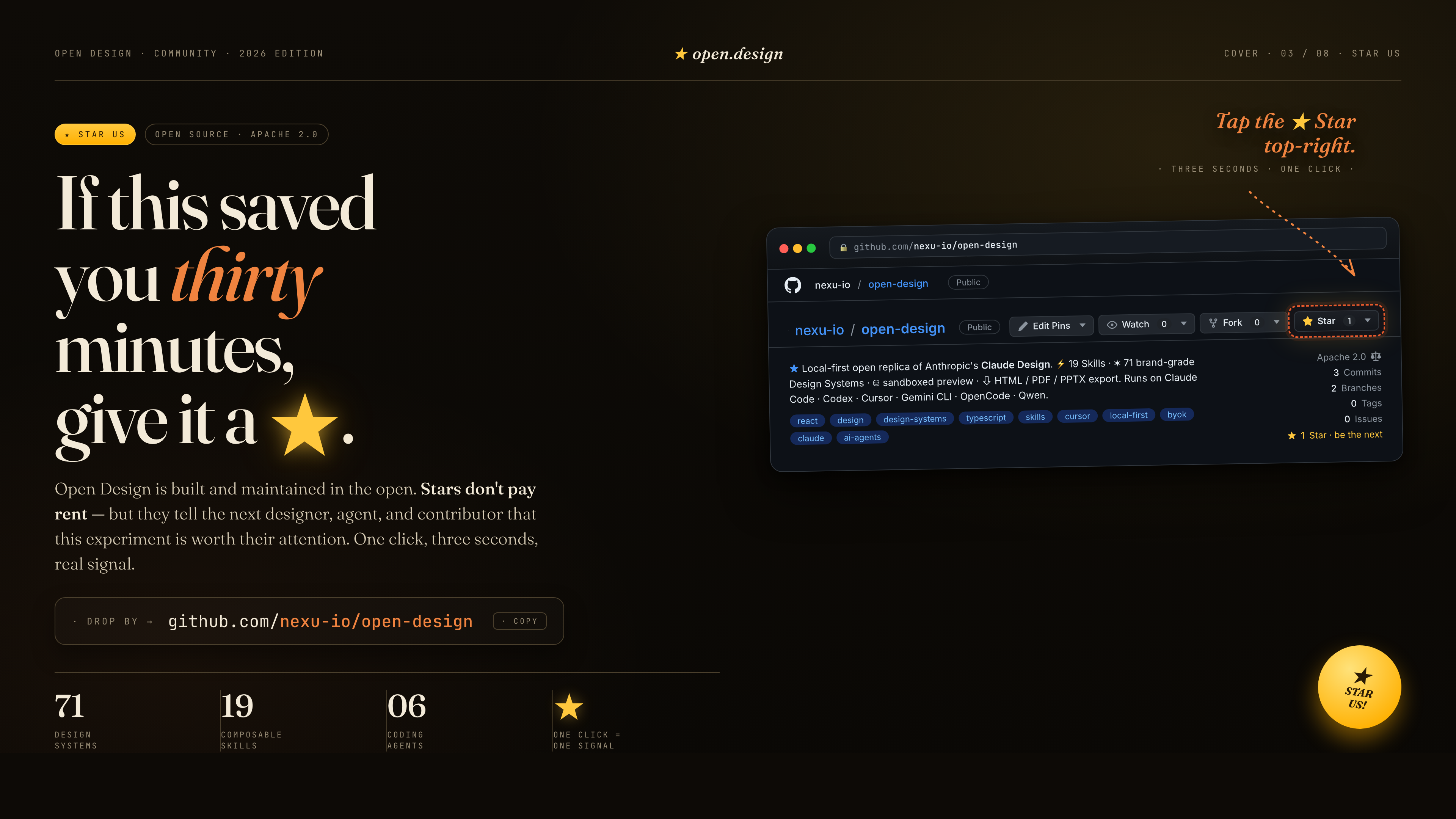
If this saved you thirty minutes — give it a ★. Stars don't pay rent, but they tell the next designer, agent, and contributor that this experiment is worth their attention. One click, three seconds, real signal: github.com/nexu-io/open-design.
Issues, PRs, new skills, and new design systems are all welcome. The highest-leverage contributions are usually one folder, one Markdown file, or one PR-sized adapter:
skills/ following the SKILL.md convention.DESIGN.md into design-systems/<brand>/ using the 9-section schema.apps/daemon/src/agents.ts.Full walkthrough, bar-for-merging, code style, and what we don't accept → CONTRIBUTING.md (Deutsch, Français, 简体中文).
Thanks to everyone who has helped move Open Design forward — through code, docs, feedback, new skills, new design systems, or even a sharp issue. Every real contribution counts, and the wall below is the easiest way to say so out loud.
If you've shipped your first PR — welcome. The good-first-issue/help-wanted label is the entry point.

The SVG above is regenerated daily by .github/workflows/metrics.yml using lowlighter/metrics. Trigger a manual refresh from the Actions tab if you want it sooner; for richer plugins (traffic, follow-up time), add a METRICS_TOKEN repository secret with a fine-grained PAT.
If the curve bends up, that's the signal we look for. ★ this repo to push it.
The HTML PPT Studio family of skills — the master skills/html-ppt/ and the per-template wrappers under skills/html-ppt-*/ (15 full-deck templates, 36 themes, 31 single-page layouts, 27 CSS animations + 20 canvas FX, the keyboard runtime, and the magnetic-card presenter mode) — are integrated from the open-source project lewislulu/html-ppt-skill (MIT). The upstream LICENSE ships in-tree at skills/html-ppt/LICENSE and authorship credit goes to @lewislulu. Each per-template Examples card (html-ppt-pitch-deck, html-ppt-tech-sharing, html-ppt-presenter-mode, html-ppt-xhs-post, …) delegates authoring guidance to the master skill so the upstream's prompt → output behavior is preserved end-to-end when you click Use this prompt.
The magazine / horizontal-swipe deck flow under skills/guizang-ppt/ is integrated from op7418/guizang-ppt-skill (MIT). Authorship credit goes to @op7418.
Apache-2.0. The bundled skills/guizang-ppt/ retains its original LICENSE (MIT) and authorship attribution to op7418. The bundled skills/html-ppt/ retains its original LICENSE (MIT) and authorship attribution to lewislulu.
Same topic — health-ranked peers. Open the matrix or jump to curves only.